Hi All!
Why is it that if I want to use Font Awesome Unicode icons in CSS with the code editor, this will be the result.
.icon::after {
content: “\F32F”;
font-family: “Font Awesome”;
}

Hi All!
Why is it that if I want to use Font Awesome Unicode icons in CSS with the code editor, this will be the result.
.icon::after {
content: “\F32F”;
font-family: “Font Awesome”;
}
In the meantime, I downloaded the bootstrap icon library and attached it to the project, but it still won’t enter it.
I would like the bootsrap icon to work with CSS.
I’m very curious and would like to know why it doesn’t work when it should. I must be doing something wrong, because then it would work.
What’s on the main page CDN is what you mean right?
Thanks but…
The result is the same.
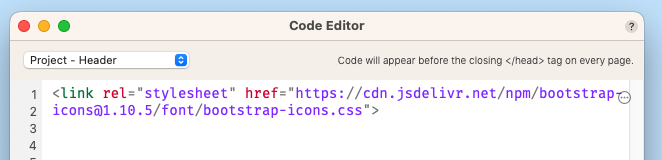
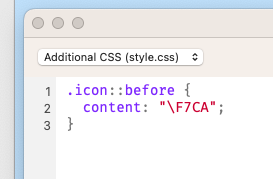

That should be there
Then the problem is in the CSS… 
I understand, but I still can’t figure out what I messed up 
I’m a pretty calm person, but now I’m starting to get nervous, maybe I have to let this go… 

I know you are right…
In the meantime, I just realized what the error was, I shouldn’t have renamed the icon. So I left it with its original name and it works perfectly.
Thank you very much for your help.