Hello Blocs Brics Fans,
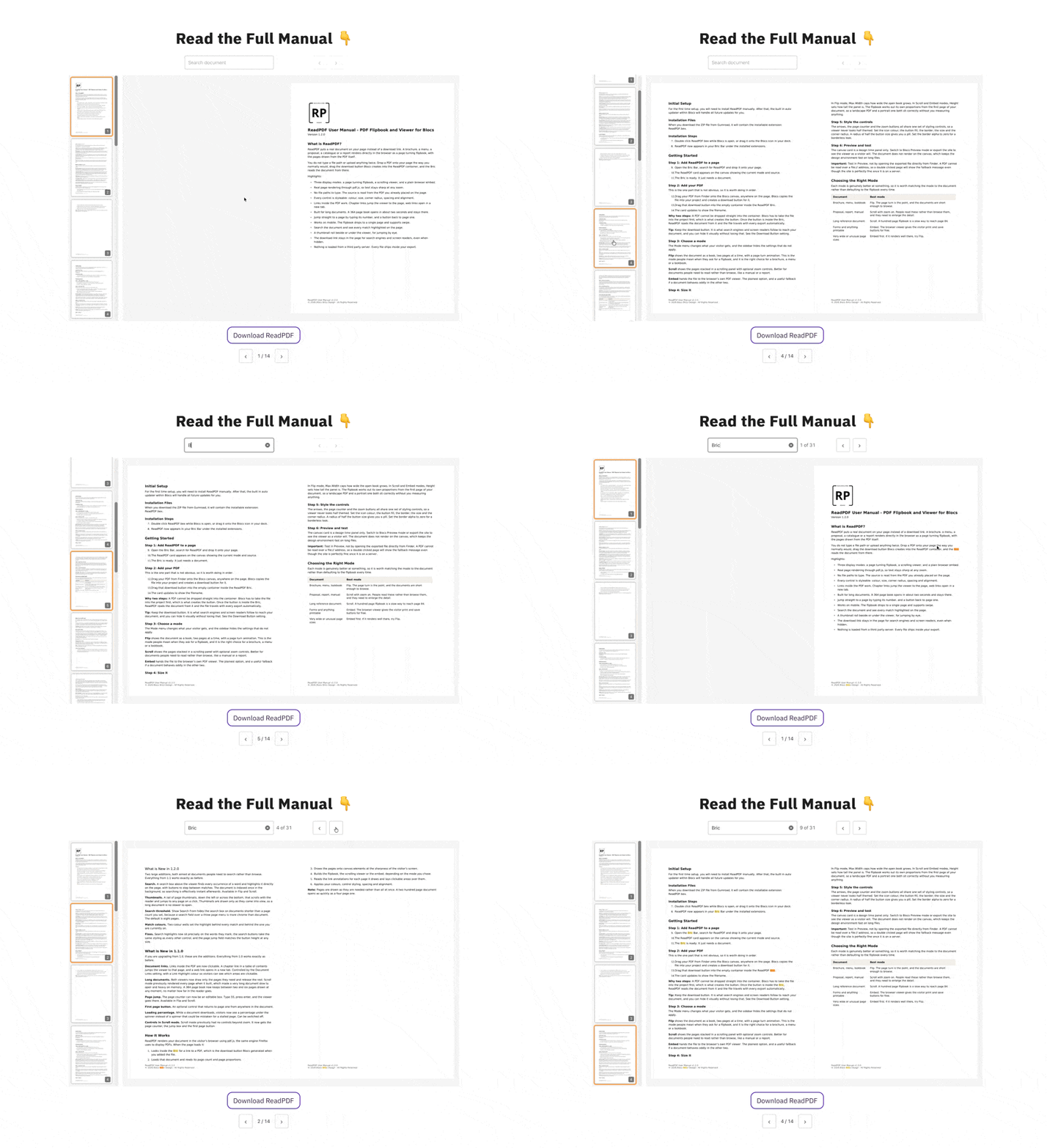
We have just updated ReadPDF, a Bric that renders a PDF directly on your
page instead of handing the visitor a download link.
What is new in 1.1.0
Document links. A canvas carries no link data, so the link annotations are
read out of the PDF and laid over each rendered page as
positioned anchors. Positions are stored as percentages of the page box, so they
stay aligned through zoom and resize with no recalculation. External links are
real anchors. Internal ones resolve their destination to a page index on click
rather than on paint, so a page never pays for links nobody uses.
Long documents. This was the bigger fix. Scroll mode used to render every page
when it built, so a 300 page file allocated 300 canvases before showing you
anything. It now builds correctly proportioned empty holders and releasing pages as you move on.
Navigation. The page counter can now be an editable jump box. Type a number,
press enter. Out of range clamps to the document, unparseable input reverts to
the page on screen. There is an optional first page button, and both of these
work in Scroll mode as well as Flip. Arrows stay Flip only, on the grounds that
scrolling already handles neighbouring pages.
Loading percentage. pdf.js reports download progress, which now shows under
the spinner. A twenty second wait behind a bare spinner reads as broken; the
same wait showing 43% reads as a big file.
Why we built ReadPDF
A friend kept asking why nobody was reading their menu. The menu was a download
link. Tapping it on a phone opens a blank tab, spins for a bit, and dumps you in
a PDF viewer with no way back to the site. That is not a menu, that is a dead
end. We wanted the document on the page.
What it does
Three modes from one dropdown:
- Flip, a proper flipbook with two page spreads, a page turn animation and
an optional single cover page - Scroll, a scrolling panel with optional zoom from 50% to 300%
- Embed, the browser’s own viewer
The sidebar hides whatever does not apply to the mode you picked.
How you point it at a PDF
This is the part we’re the most pleased with. You do not type a path. Drop the PDF on
the canvas as normal, Blocs makes its download button, and you drag that button
into the Bric’s container. ReadPDF reads the document from the link.
That means the file is managed by Blocs, travels with every export, and is
served same origin, so there is no path to maintain and no CORS to configure.
Price and links
$14.99, one payment, free updates through the Blocs updater. Existing owners get
1.1.0 through the Extension Manager, nothing to buy again.
Get ReadPDF here:  Blocs Store
Read the Manual: ReadPDF Manual
 Thanks to the user who sent me a 364 page book with chapter links. That file is
the reason both of the main changes in this release exist.