Ok, so I ask this question one more time: is it possible, at least in v.6, to search and replace in the BLOCS project site-wise? I mean, let’s say I have a word which is I-WANNA-REPLACE-THIS-WORD-ON-ALL-PAGES with NEW-WORD-ON-ALL-PAGES. This was possible way back long ago in Adobe Muse and therefore I see it as an important question. If it’s still not possible I would like to know why it hasn’t yet been fixed. Thanks.
1 Like
No, site wide find and replace is not supported in Blocs v6.
It’s not a case of fixing it, more adding support for it. Here are a few reasons why.
• It’s complex, managing the undo changes for find and replace across the entire site is more complex and would require a lot of testing and work to integrate.
• There are other features that have been added instead, that are more useful and have been requested more, such as the SVG Icon Manager, New Page Navigator, Redesigned Asset Manager, Transition and Transform CSS to name a few.
I think it’s important to remember, your feature request has not been implemented because we have been very busy building other features into Blocs (take care to scroll all the way down) that are in some cases more useful.

2 Likes
Ok, thanks for your reply. Why I wonder again is as this is a common “system function” (I think, I don’t want to argue here) throughout many operating systems. And as BLOCS is Mac only, I did suppose it was built in probably from the beginning. I will keep wait then, and not upgrade even today to v6 
… this function seems so simple and basic so why not just fix it? Why add new flashy functions when basics never worked, to just make changing one word manageable.
It’s more complicated and prone to more errors / problems when adapting web page code, especially multiple pages. The undo stack for each page needs to handle this type of global event.
Just to clarify, I’m not saying I won’t add it, or it’s impossible. It’s just a larger time consuming request.
2 Likes
In all honesty I do not even see the use case for “site-wide search and replace”.
Finding & replacing text in Paragraphs could be an option, but I hardly see even the advantage of that; like Norm describes, the undo overhead would be huge. Auto-replacement of texts in headers impacts lay-out, so I would rather do that manually.
Going further down the line: Find&Replace Classes, Bricks, Colours? I cannot even begin to grasp the can of worms that would be opened.
For me something like a “Where used report” could be meaningful; enter a text, class, bric, etc. in a search field and get a view what page and bloc contains that element would be helpful for larger sites.
3 Likes
Maybe I’m an unusual use case, but I suspect not. Site wide search and replace is needed when I need to update a marketing term or phrase that could be across any of the 100+ pages on my website.
Right now my work around is to use BBEdit to do a Multi-File Search… across my exported files so that I know what pages in Blocs I need to update.
@Norm Completely understand the huge lift here especially with undo. At least for me, undo is just a nice to have and having a site wide search and replace be destructive is completely fine. Maybe present a dialog as such to folks and add in undo later in order to reduce the amount of development here?
P.S. Why am I fine with this being destructive? There’s already multiple ways to back out/undo:
- Don’t save the Blocs project and go back to the prior save
- Go back to a prior Blocs project backup (internal to Blocs)
- Or my own preference, simply restore a prior Block project file from my VCS
1 Like
That very surprising, but also disappointing too because you are indirectly saying this:
“I don’t need it, so why would anyone else?”
I’ve never understood that thinking. Someone asks for a feature, then another person comes along proclaims they can’t see why anybody would need it, thereby diminishing the importance of the feature request.
I used site-wide Find and Replace all the time many years ago when I was using SoftPress Freeway Pro 7. I believe it even had that at version 2.0, when I first got started with Freeway back in 1999. Here’s a screenshot of the Freeway Pro 5.5 manual…
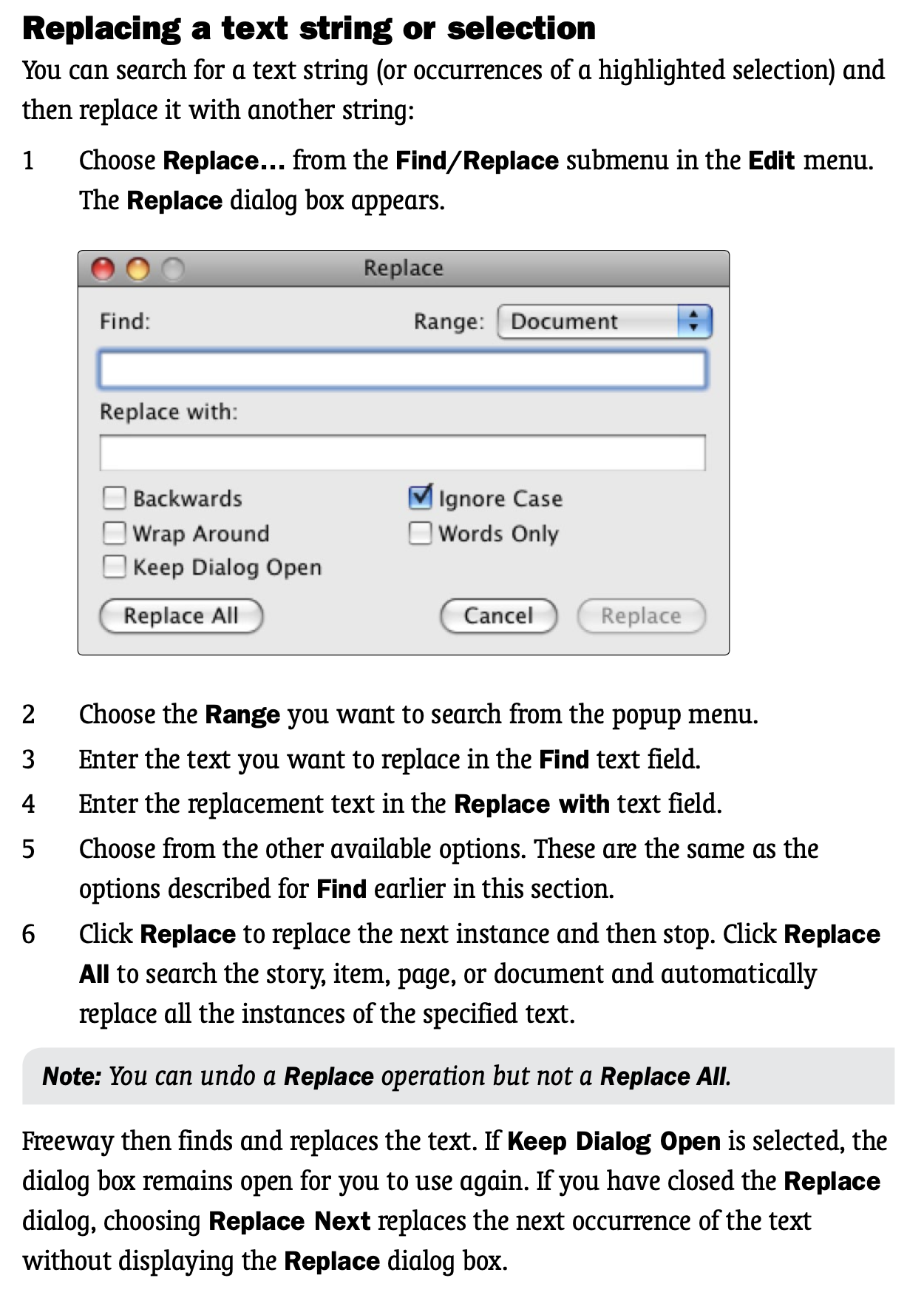
There are individual words and phrases I use throughout my company websites (Blocs documents) that I sometimes want/need to change in one fell swoop. Why should I be forced to hunt down each instance and change them one by one? I have a very bad memory too, so hunting down dozens of instances of a word or phrase is quite stressful for me. I don’t like it at all. And when I’m pressed for time, my blood pressure increases. I don’t like it when my blood pressure increases because I start feeling like David Banner when he says, “Mr. McGee, don’t make me angry. You wouldn’t like me when I’m angry.”
I don’t say this to pressure @norm or to say anything negative about Blocs. I love Blocs, and version 6 Plus is the best Blocs ever. Even without sitewide search-and-replace, it was ABSOLUTELY worth the upgrade cost TO ME.
But at the same, time, I could and would benefit from the type of search and replace this thread speaks of. So I am writing this to cast my vote of support for it, just to show that not all of us have a difficult time fathoming why a sitewide search and replace feature is useful and needed.
2 Likes
Thanks, JDW, I agree in all this, as I also get stressed easy when trying to do manual “Find and Replace” – especially in BLOCS and that function has been very buggy, destroying my projects so now I don’t use that function either! So the only way, now, is to browse each page in the project and use my eyes and LOOK for the words I need to replace, which seems like being back in 1972. I don’t want to stress Norm here but I recommend someone in the development team to try their best on this, and also look at the very limited version “Find and Replace” which might be useful, if it works, for some of you. Thanks.
“Right now my work around is to use BBEdit to do a Multi-File Search… across my exported files so that I know what pages in Blocs I need to update.” This sounds a bit interesting, as a second-hand option until the real function has been fixed, how to do it?
Thanks for replying again, Norm. I’m just a “user” so I don’t know about programming or what’s included to get things going; I simply see this function as as it is in most word processors/DTP applications, or actually most applications, a “system” function which should just be included to get a usable pro application flow. I really hope your development team could check this out soon. Thanks.
1 Like
When I write “I do not even see the use case“ this is my personal opinion as it is the case with most opinions on this site.
As stated I rather have a “where used” type of function to search where specific texts, classes, bricks, code snippets, etc. are used, so I can made changes in a controlled way without breaking anything. I would also not be keen on a “destructive s&r” as it would mean testing and, potentially, fixing.
We are just about to start the development cycle for 6.3, so I’ll take another look at the potential to improve Blocs in this area.
For now, I would recommend using the current find and replace an report bugs when you encounter issues. We haven’t had as many in the last 6 months, that’s most likely because we have made improvements in this area throughout the year (you probably noticed that on our release notes page - V6.0, V6.0.12 and V6.1 all included improvements to the current Find and Replace feature).
I think it makes sense that we get the single page version rock solid before we expand it to entire sites.
I know @JDW still has an open ticket regarding some words not being picked up. Which I will look to address.
1 Like
@Himmelstrutz See the BBEdit User Manual and Page 179.
Ok thanks, I checked it and have now tried it also in a .blocs file.
Hey @Himmelstrutz just a quick heads up to let you know that we are adding support for global / site-wide find and replace in Blocs for Mac 6.3.
4 Likes
Thanks, interesting, that is good to hear.
1 Like
If you have not updated to Blocs 6, be sure to try out the beta when it’s released later today, as you can still use this feature in trial mode and it would be greta to get your feedback on problems you encounter.