Hi everyone, and happy Easter 
I’m currently working with Volt CMS and I’m really happy with it overall. However, I’m running into a few small issues — probably due to a misunderstanding on my part — and I’d really appreciate some help.
Functionally, everything works great , but I’m struggling with text formatting and applying different font sizes .
Here’s the situation:
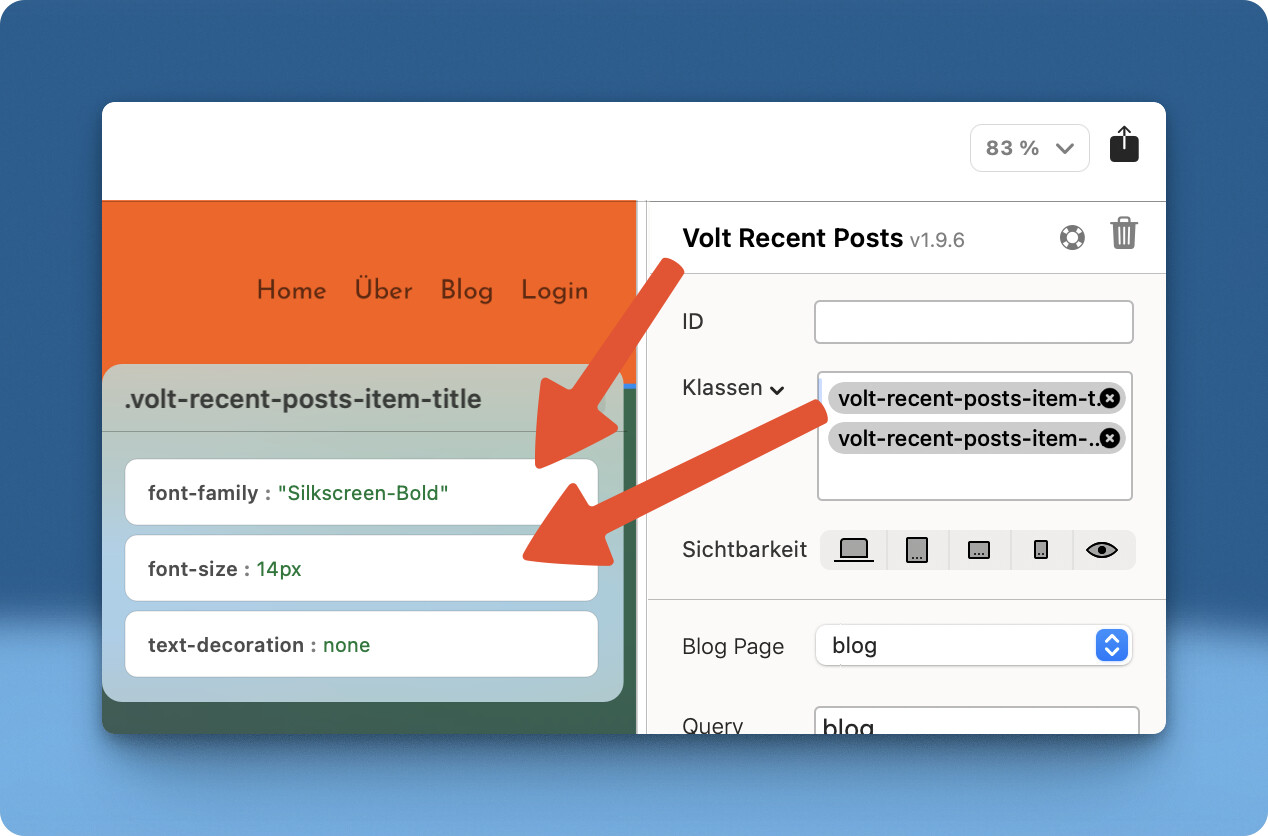
My website uses a globally light-colored font. In one specific section with a light background, Volt is embedded. In this area, the text should naturally appear in a dark color, and ideally use a different font and font size (which is locally available).
I’ve defined a custom style and added it via the toolbar, but unfortunately, it’s being completely ignored.
When I enter the style manually line by line in the editor using
, it does work — but that’s far too time-consuming and definitely not something I can expect my clients to do 
Here’s a screenshot to illustrate the issue:
I also have another question:
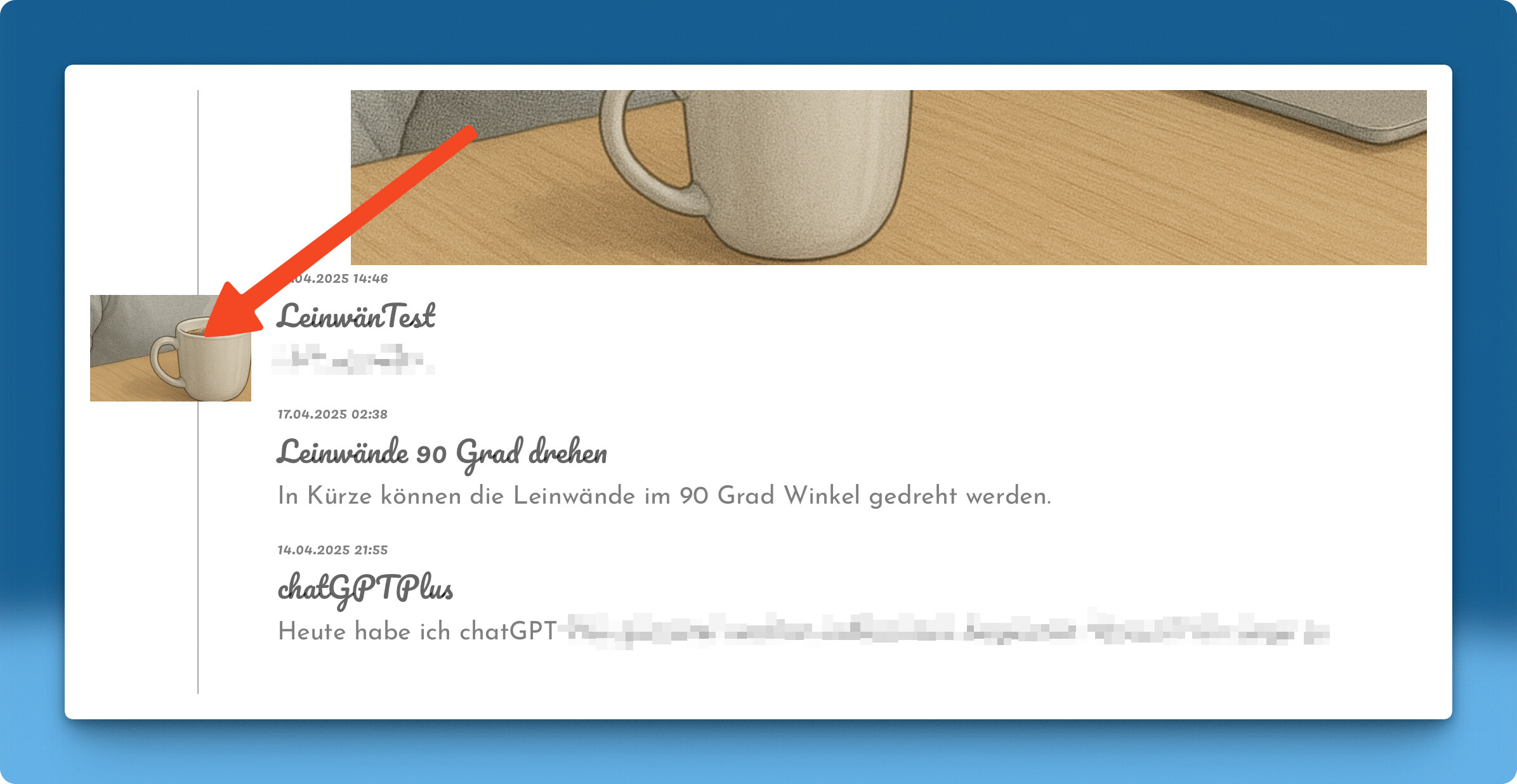
Is there a way to configure Volt so that images in the “latest posts” section appear to the left of the post title?
Right now, they’re only displayed above the title. I think a layout with the image on the left and the text on the right would look much more polished.
Are there any demo projects or example configurations I could learn from?
Thanks in advance for any tips or solutions — I really appreciate your help!
Best regards,
Sven