It’s nearly set-up as required but I’ve got stuck on two bits of css:
I want to move the previous and next arrows outside the slide content and make both be a fixed distance horizontally either from the edge of the content or the edge of the viewport. I tried using a negative margin left and right of -25px which moved them close to the image edge but they remained still inside it. After increasing the value they disappeared.
Currently image fills 100% width but for the sample portrait image this becomes too large. I do know to upload all images at equal height but can’t recall how to get portrait images to be contained at 100% the same height as others that may be square or landscape ratio.
Ref the arrows issue here is the additional CSS added to the code editor:
They are position absolute, so you can move them using left and right on the .carousel-control-prev, .carousel-control-next.
Your CSS though will cause a problem, remove the overflow hidden off the .carousel, as that will hide the navigation if it’s positioned outside of that container.
Thanks Pete, I’ve sorted the prev and next controls.
I’ve spent the last few hours trying to work out how to get a portrait image to display at the same height as landscape images (in a Volt gallery carousel). I understand the image width is set to 100% and a portrait image maintain its ration by pushing the vertical height of the carousel down the page. After looking at the Bootstrap site and other forums I have tried various ideas: applying object-fit:cover to the img and also tried putting a container the carousel thinking i would just need to set a height in px for each breakpoint.
Neither worked. I also looked at setting a ratio on the height but the client’s image ratios will differ.
Hope I’ve described the issue and requirement clearly. If this is too complex to implement the workaround will have to be dropping the jpgs onto a fixed size background and adding the drop shadow then rather than via CSS.
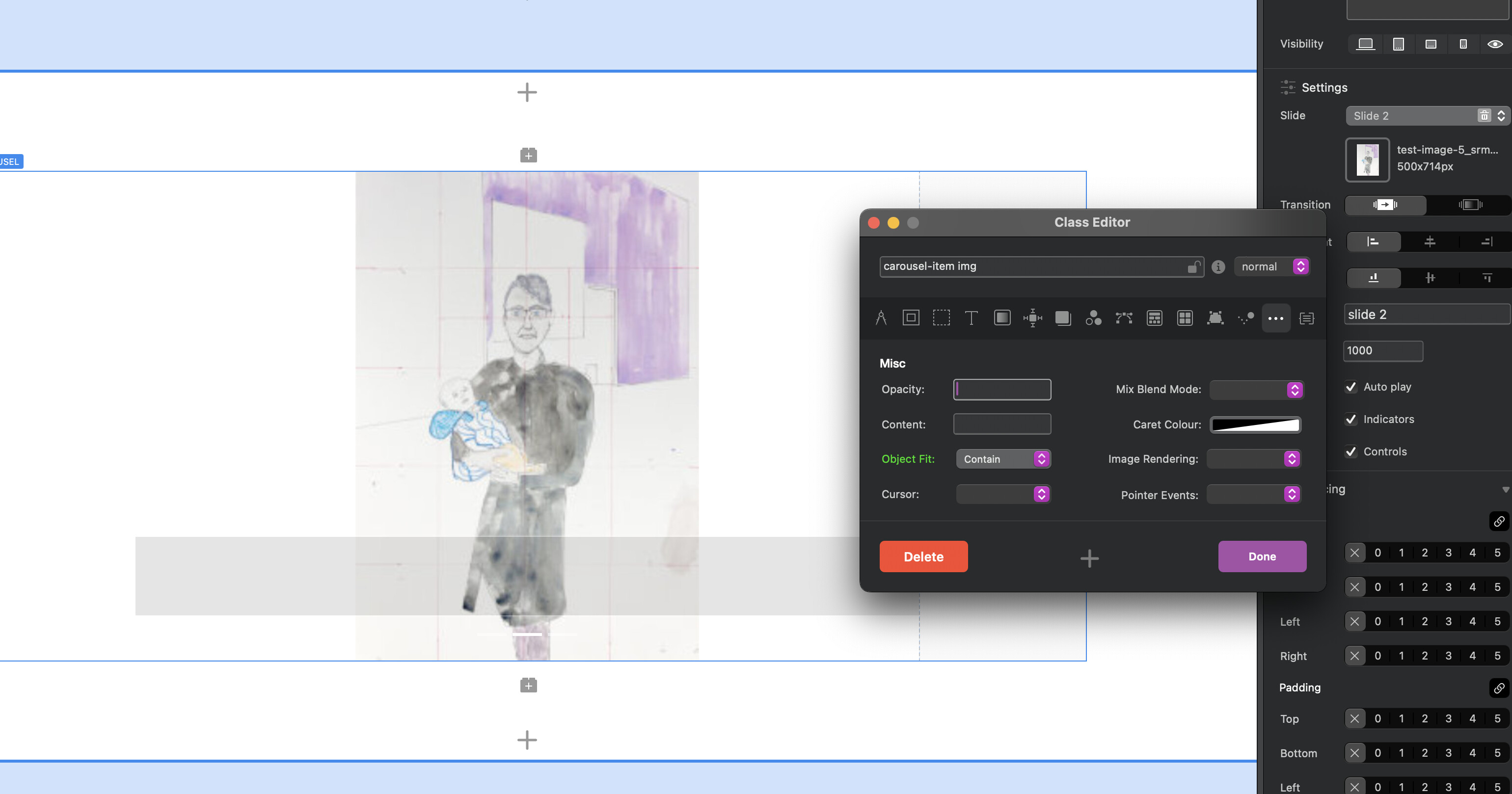
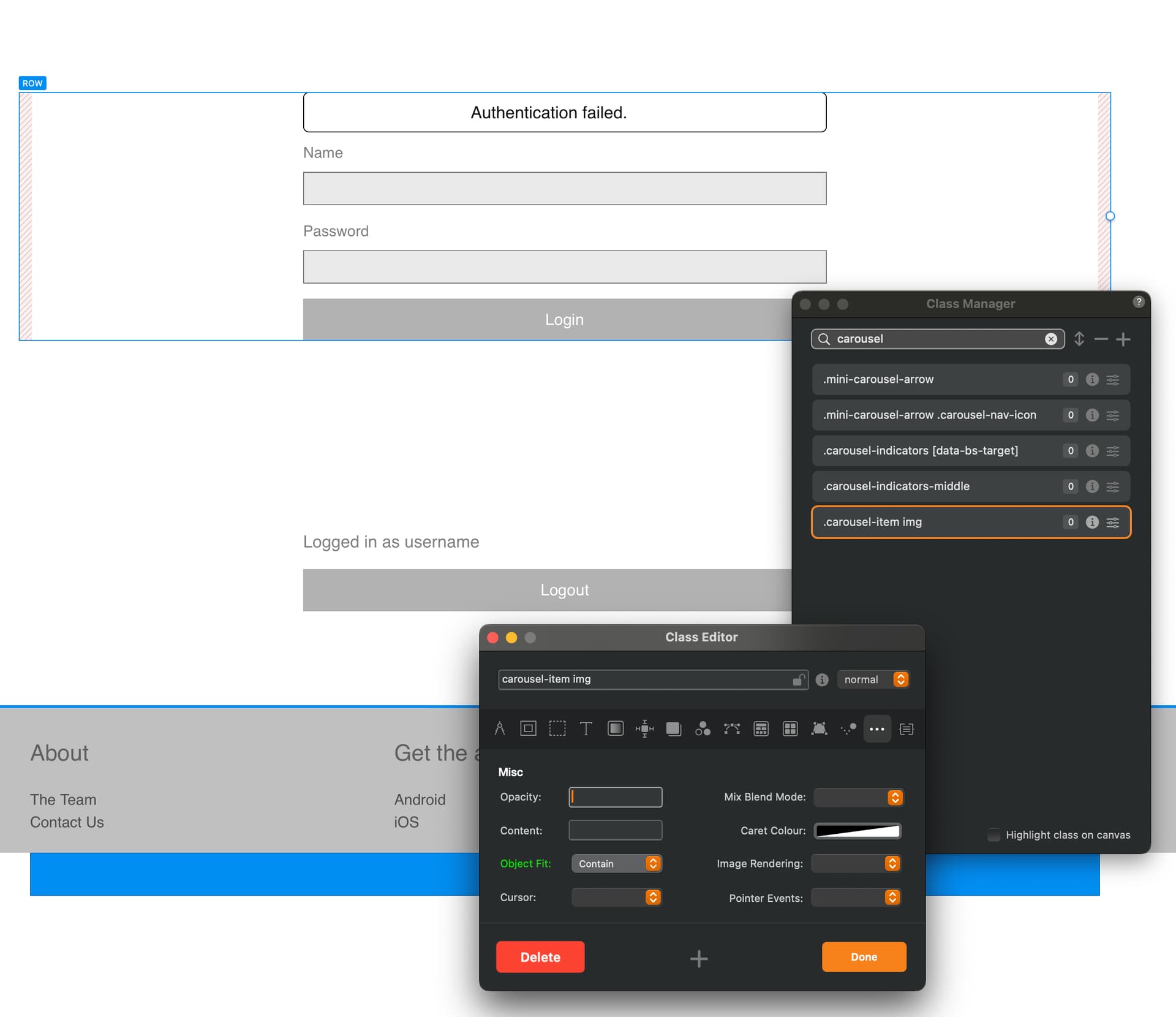
Keeping it simple with CSS, is usually the best approach. But you were close, use object-fit: contain. If you are using Blocs 6, I think the object-fit is now an option in the class manager… only several years waiting for that
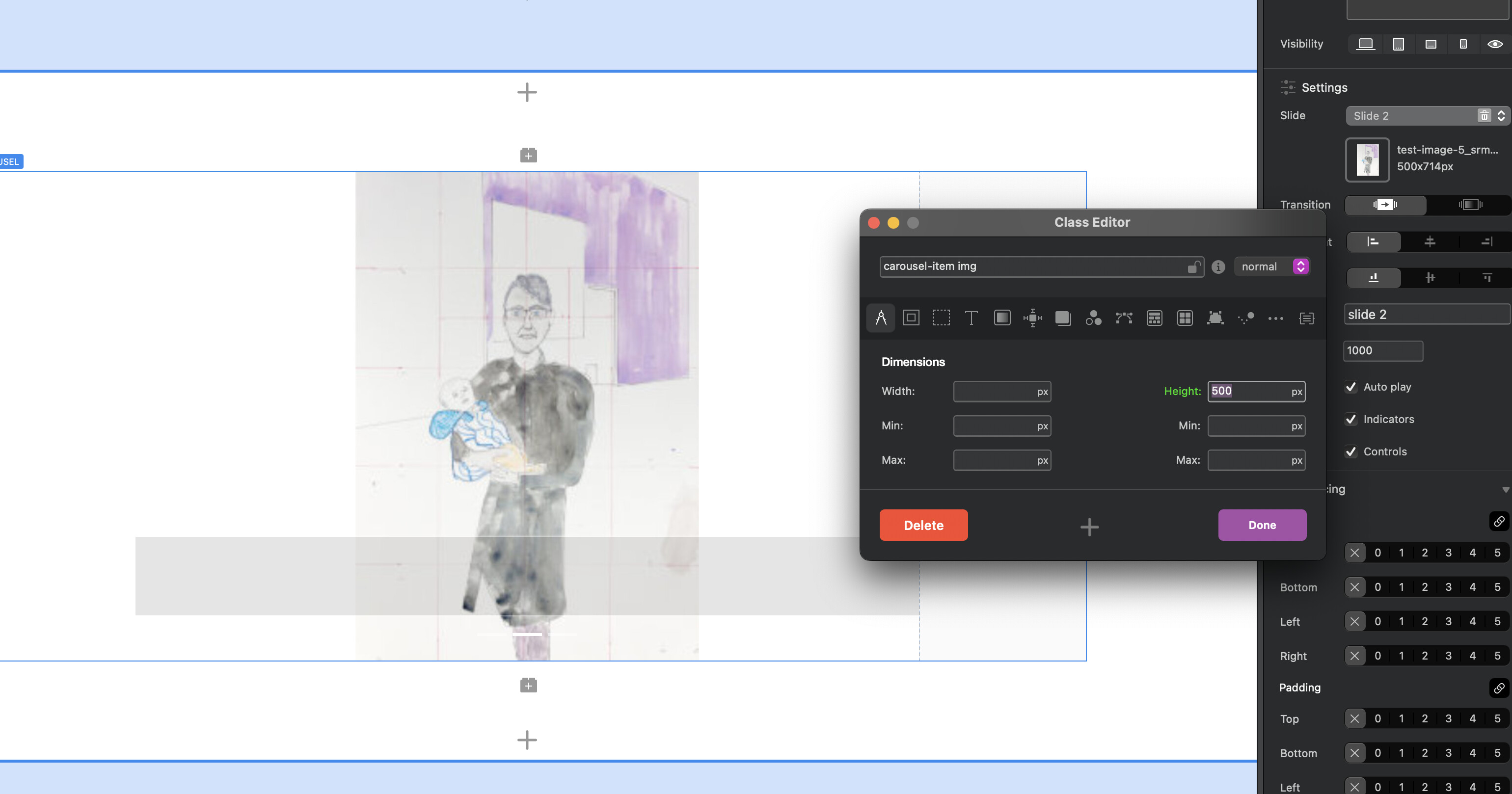
.carousel-item img {
     height: 500px /* make this what ever you want, even used the class manager to set per breakpoint*/
     object-fit: contain;  /* If you use cover it will crop the image, this scales it */
}
Actually I think my last question should have included @Jannis.
Hi Jannis, the solution above involves ‘object-fit’ which is now in the Class Manager.
I recently saw another post about carousels in Volt where you said the styling relied upon modifications to the bootstrap classes.
Please can you advise if what I’m trying to do here (set height of carousel by breakpoint and all images to be contained) requires some extra css in the code editor.
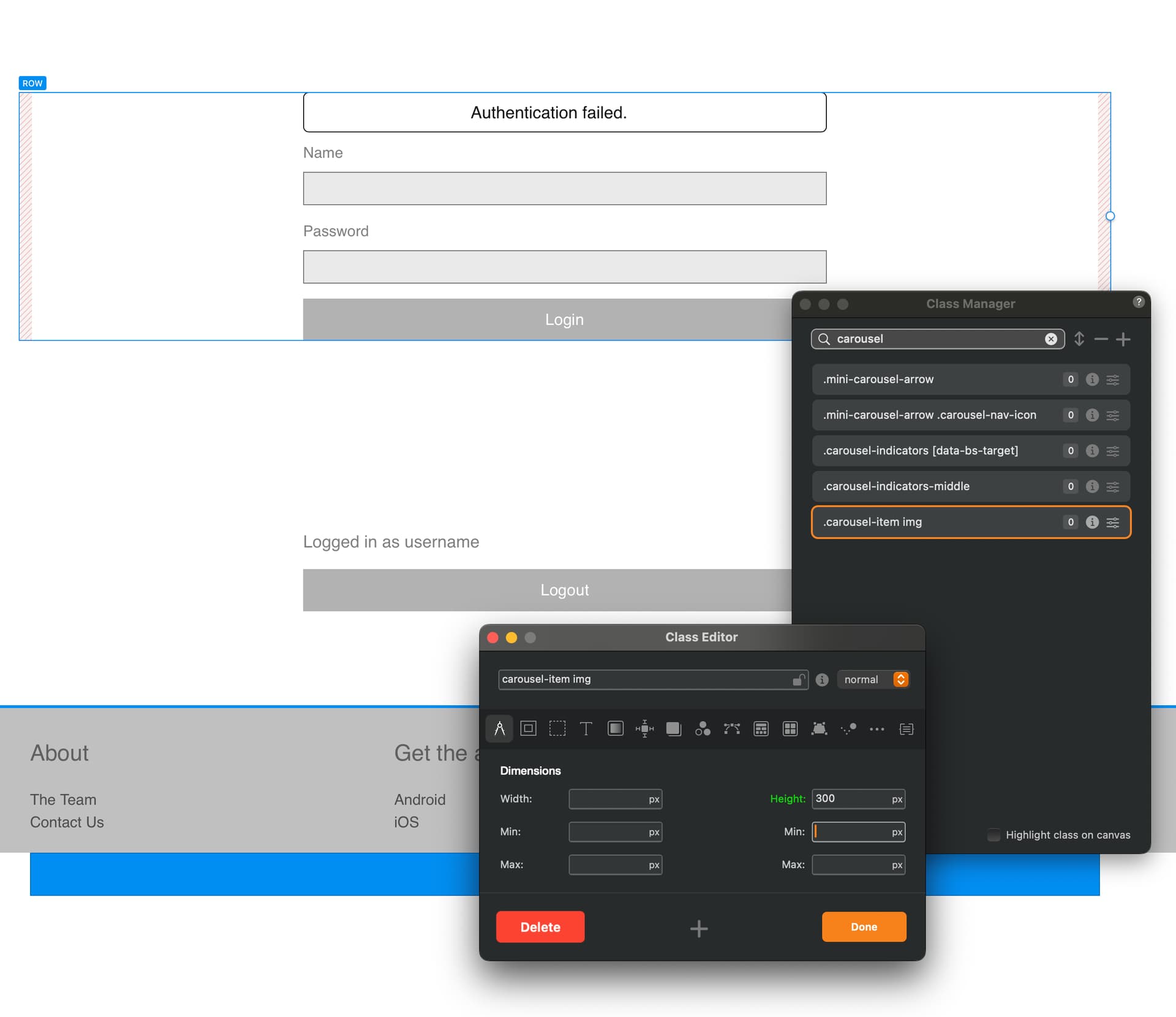
Please remove any other CSS you added thats conflicting, because this works fine. You dont need to add the class to the canvas, just the class manager.
Hi so I removed all css as you said and only applied as per your screenshots. Unfortunately the portrait image still displays as before.
So I made a complete clean test site from scratch as follows:
Created a new site and volt gallery set to carousel Test Site-Volt Gallery.bloc (1020.5 KB)
Added two landscape and one portrait image all at same size 768 x 1024
In class manager added .carousel-item img as shown below.
The mp4 shows the result
Sorry if I am not understanding this (it’s late here !) and just skimming over the chats.
I am looking at the height element here.
If this your own website why not just add the images edited to the same height then add it to the carousel in Volt? so they are all the same height?
If it a client site - maybe tell them to resize? prior?
If resizing is not an option then couldn’t a class be created in Blocs and set sizes height etc and apply to each image?..long winded but will work ? I think !
That is odd. I need to work out why (and re ‘cover’ yes, I was going to replace with ‘contain’).
I’ve also just seen the latest from Jannis who suggests adding !important to the carousel-item css. This is currently in the Class Manager. Since this will need to be added to in the code editor do I need to remove it?