What's the trick to increasing the spacing between nav bar items?

I have a menu that has rather long page names - I like it and it’s clear to the user, but the spacing between them is too narrow.

I’ve just spent the best part of an hour trying and failing to increase the gap between nav bar item elements… could someone please point the way?

Thanks.

3 Likes

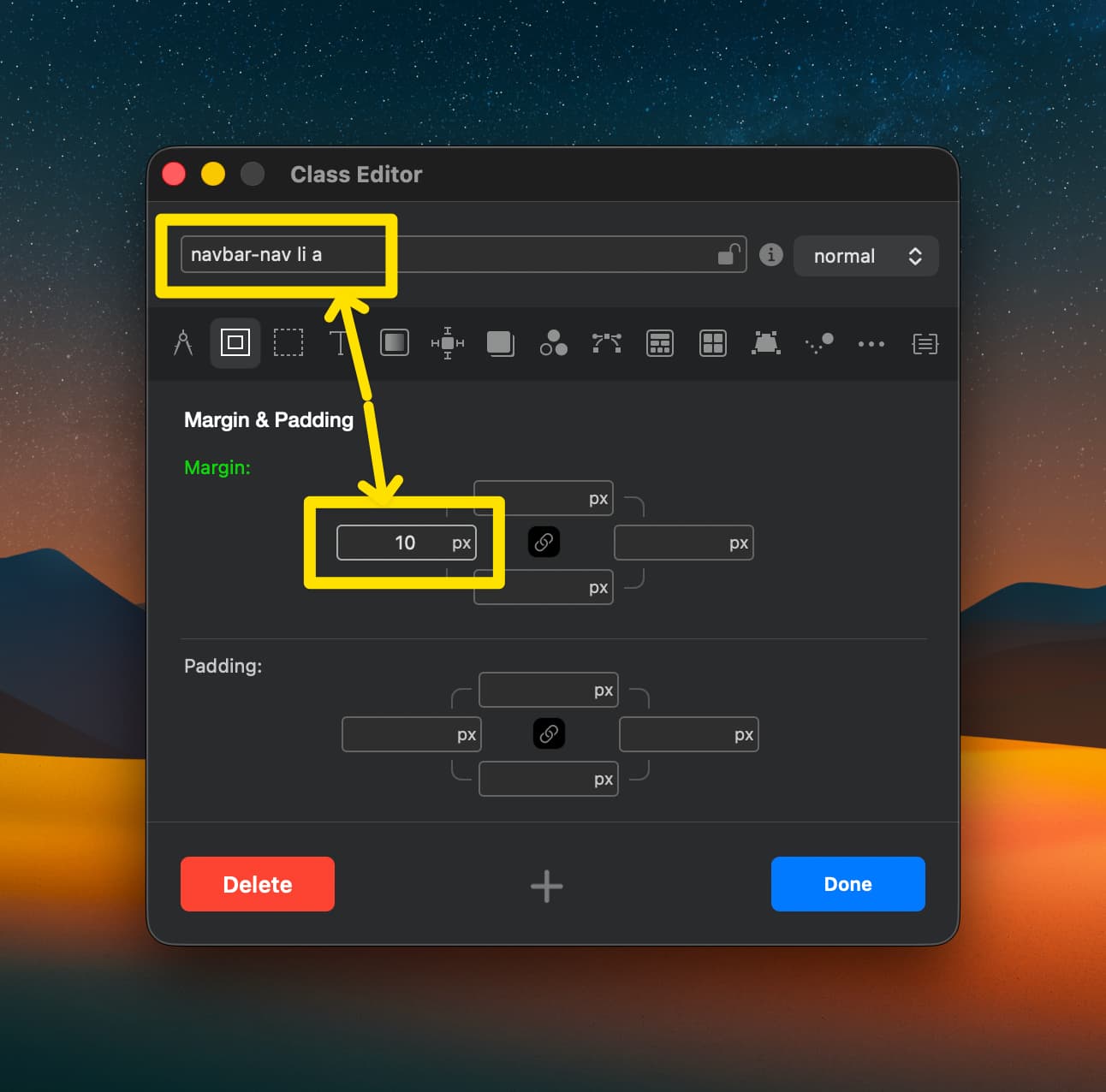
Oh, a new custom class? Thanks, yeah I’d never have figured that out alone.

How would I have known what to call the class for this purpose?

I think that may be a Bootstrap class rather than a Blocs one so yeah - stick a pin in a dictionary and hope for the best!

These are the things that confuse me also, however I find using a browser (or Blocs) web inspector has helped me immensely, alongside this forum.

2 Likes

I wish this stuff wasn’t so damn opaque. By the Stars I miss iWeb.

3 Likes

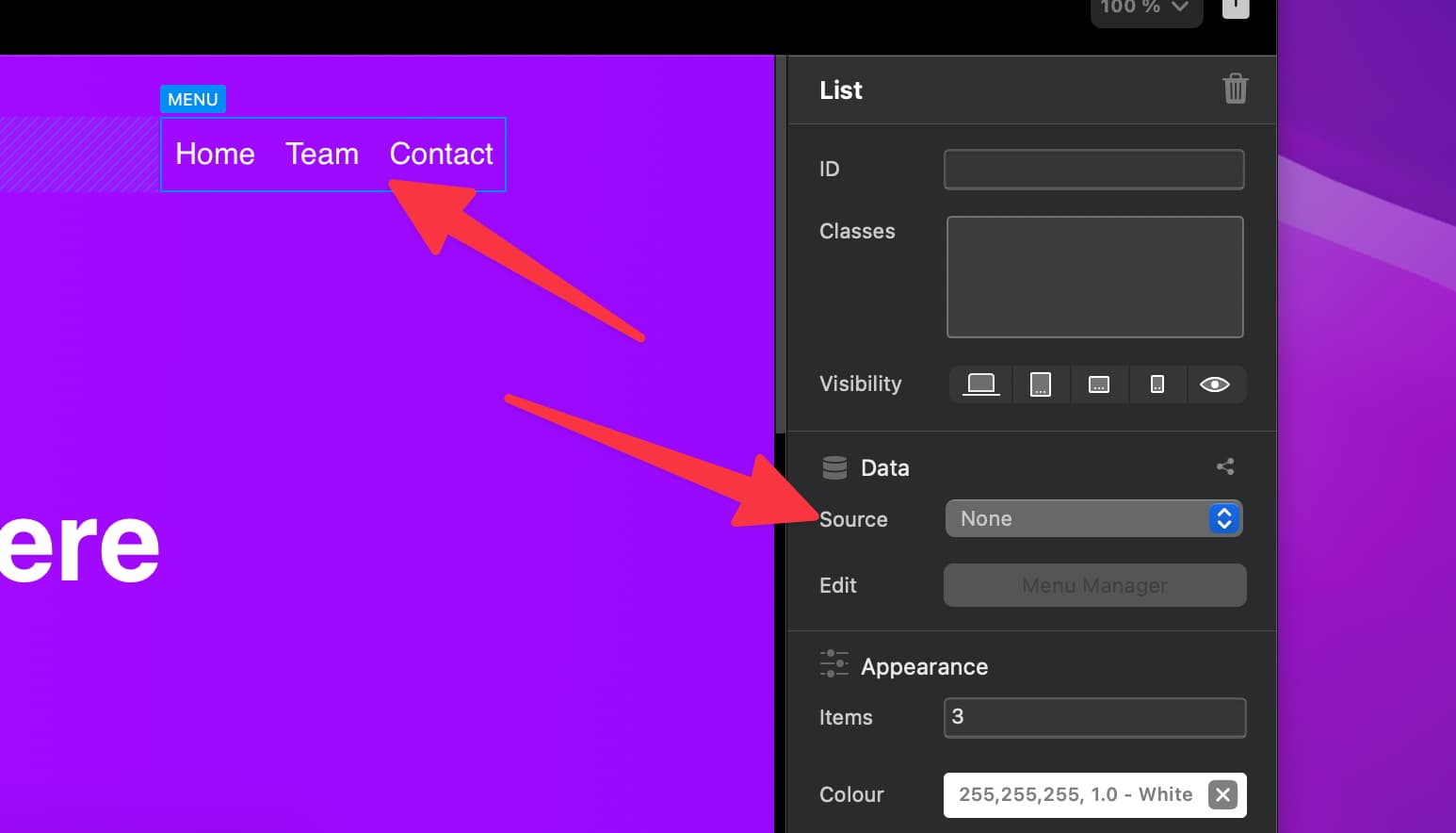
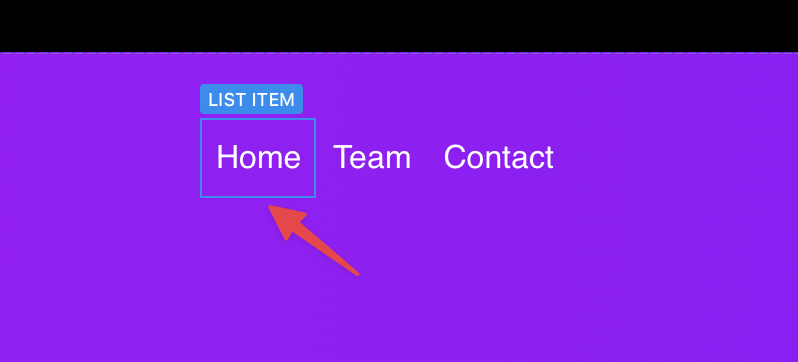
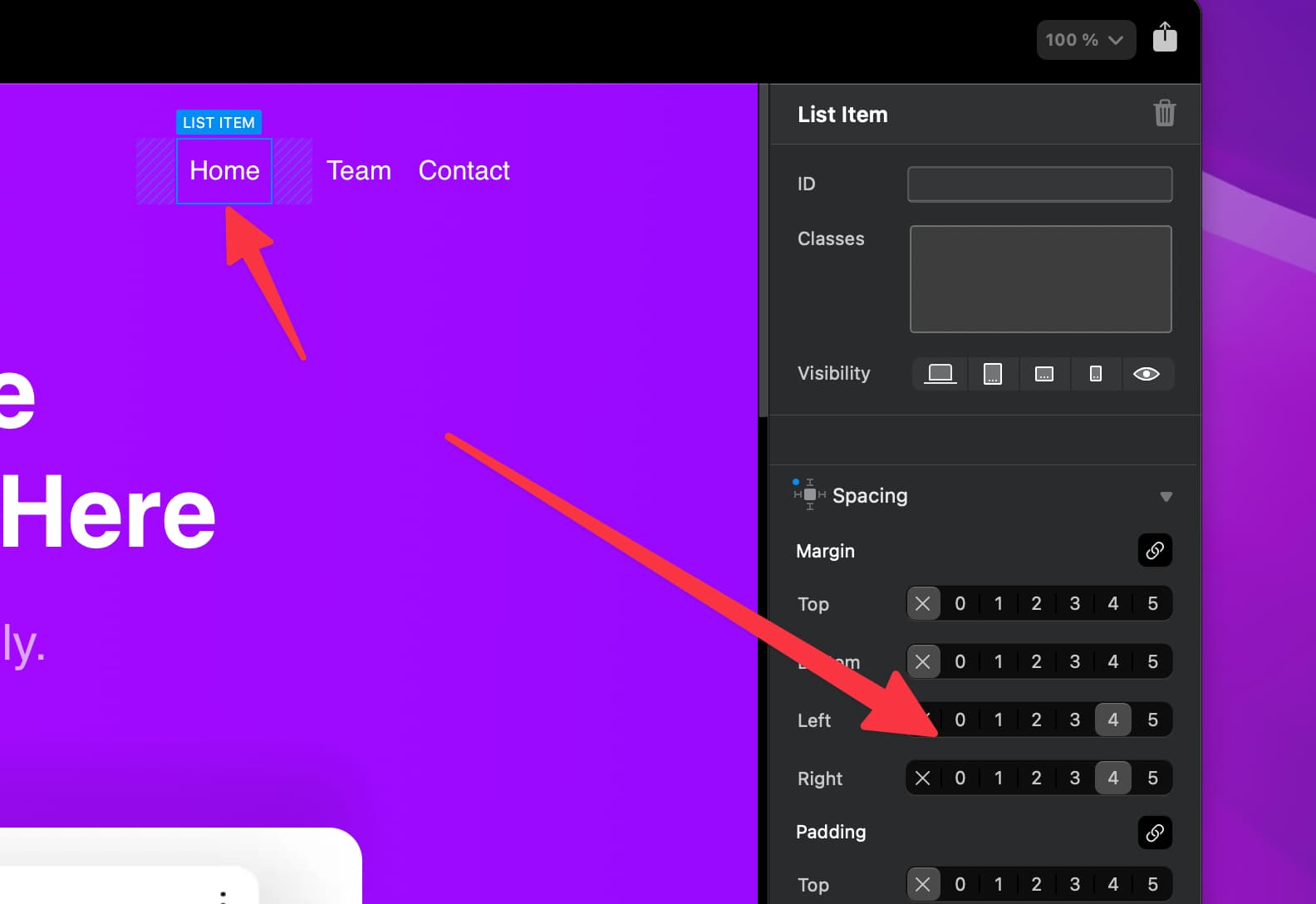
Hey @TEMPEST_114 you can also edit spacing in the following way.

  1. Turn off the source for the menu so you can manually edit it.

  1. Which means you can now select each menu list item.

  1. And adjust the spacing for each item.


So there are two ways to do it, however I agree with yourself and @TrevReav it should really be easier. So I have an idea to make it even easier, I’ll be back soon with an update to this. :innocent:

3 Likes

This is exactly why we all love Blocs, @Norm . You’re constantly and tirelessly improving our favorite app :heart_eyes:

THANK YOU.

3 Likes

Do you turn the source back on after editing or does that undo the editing? I’m asking as I’m away from my mac so I can’t try it out first.

No if you turn source back on, added style will be lost when its next populated from the Menu Manager.

But I have something new that will work with both variants of menu items…

1 Like

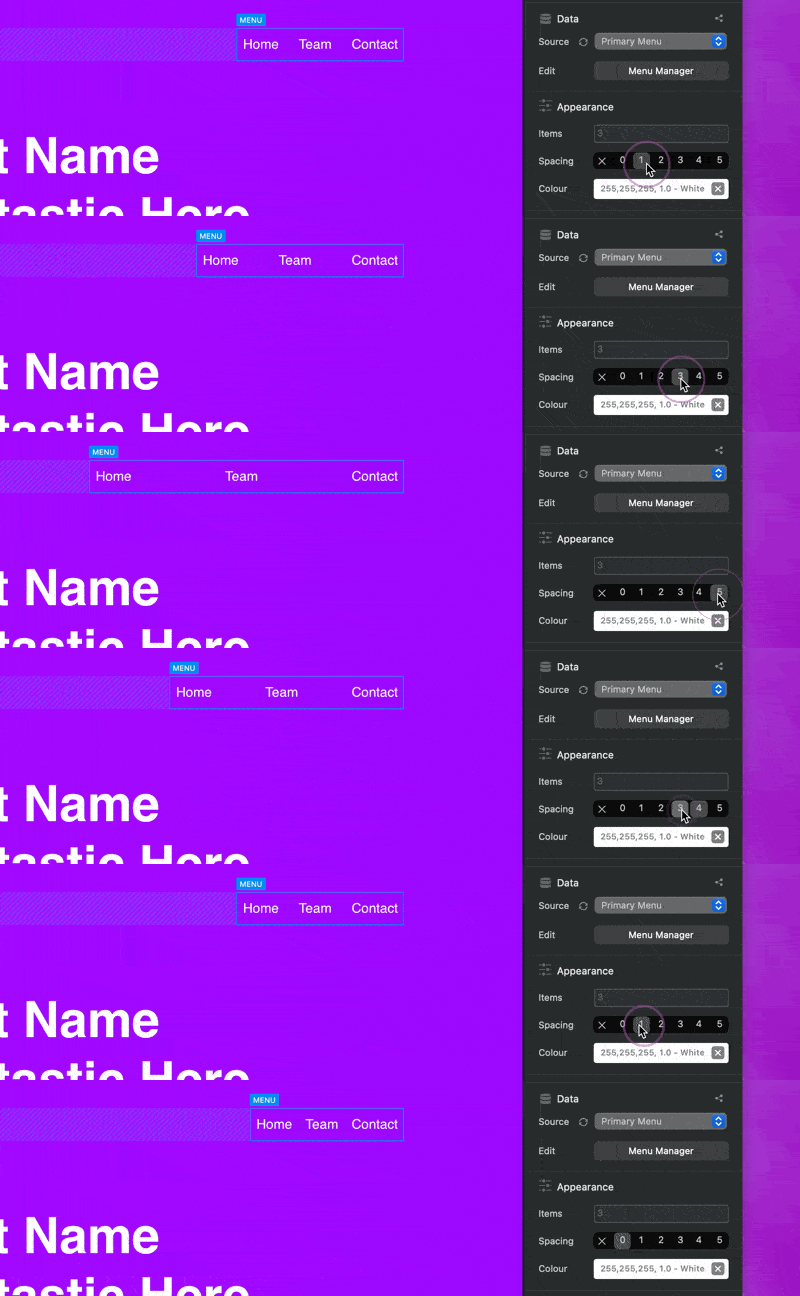
Hey @TEMPEST_114 and @TrevReav Blocs 6.3.1 (beta 3) will feature a new item spacing option for navigation menus.

CleanShot 2025-11-27 at 16.19.21

It’s similar to the standard Bootstrap spacing options but for list items (which is what is used for the navigation menus).

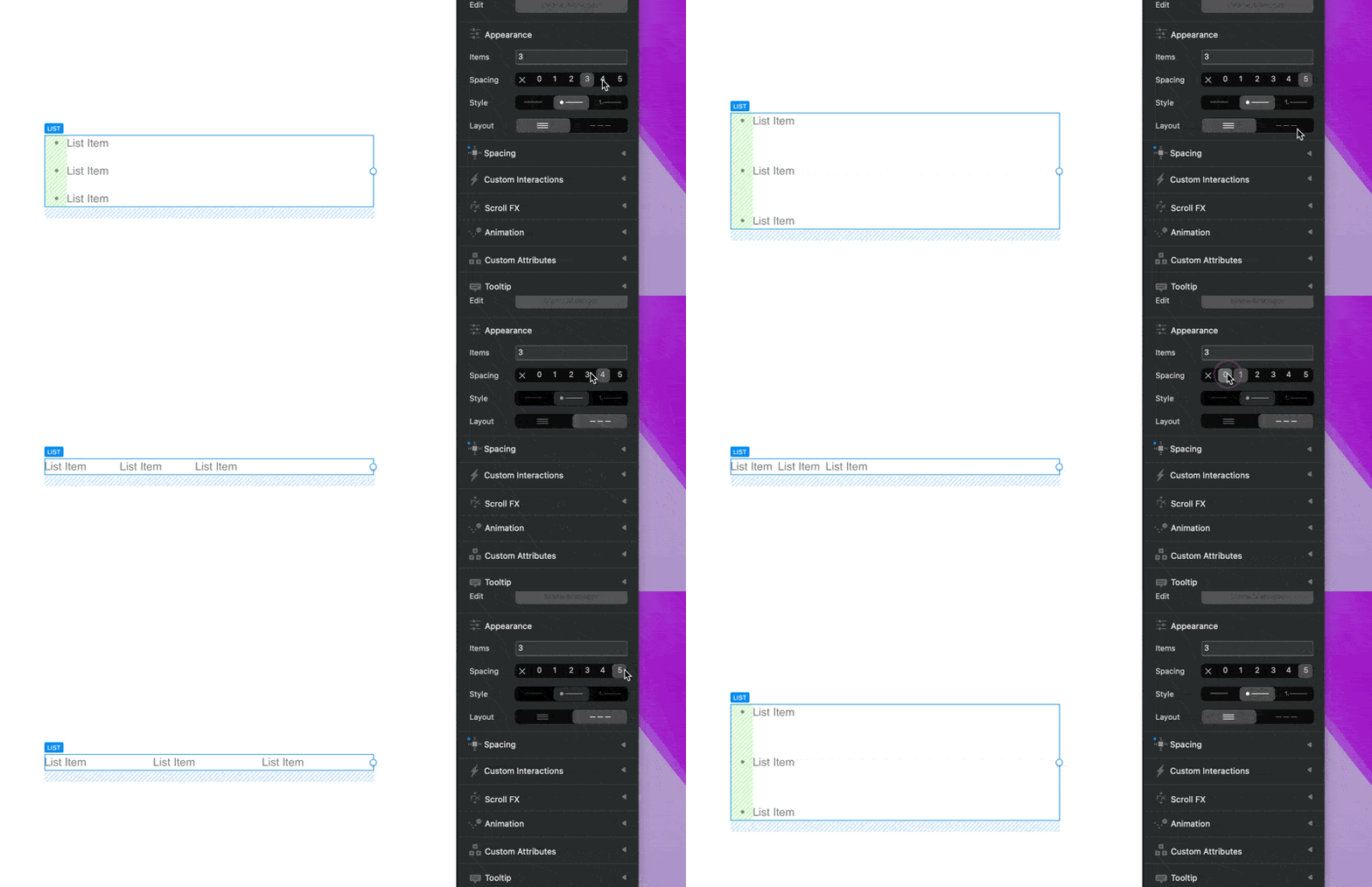
I have added support for this new spacing option to normal lists Brics and also improved the spacing options so they can be used vertically and horizontally. :innocent:

CleanShot 2025-11-27 at 16.20.59

So now, we have 3 ways to add spacing to menu items, this one being the easiest and quickest.

It will be available to test early next week. :smiling_face_with_sunglasses:

Thanks for your feedback, Blocs just got a little easier to use :raising_hands:

18 Likes

Nice! Hopefully this will be breakpoint specific, because sometimes I need more space on LG breakpoint, but not on MD breakpoint, etc.

6 Likes

Oh yes, I’ve also made sure they don’t interfere with the collapse menu state, when the navigation is in compact mobile menu mode! :innocent:

3 Likes

Thank you @Norm . I’m blown away by how this whole thing has been handled.

3 Likes

No problem, I think you made a good point. We obviously can’t be this responsive for every request or problem, but we try. :sweat_smile:

3 Likes

That literally made zero difference - no movement or anything

This is great @Norm as I use lists a lot for bullet pointing on websites and I always created a class and applied it for spacing, now this is much better - great work !

3 Likes