As 2024 unfolds, I’d appreciate upgrades to the swatch manager.
When using templates, we can define ‘Primary’ and ‘Primary Variant’ swatches. If saved blocs and brics reference these swatches, we can build out our pages, then make adjustments to these Primary swatches and the changes trickle down across all of the elements using them. Very straightforward.
However, I recently learned that this functionality is limited to only two swatches. I would very much like any named swatch to behave this way so that a template maker could build a Design System naming swatches like:
Light theme:
Light surface primary, Light surface primary variant, Light text primary, Light text primary variant.
Dark theme:
Dark surface primary, Dark surface primary variant, Dark text primary, Dark text primary variant.
I would also like to be able to organise the swatch manager a bit, maybe with groups that could be named and dividers in between.
I believe every new project should start with a few base swatches according to Design Systems that many use today. We’d have a default ‘Light’ group that is separated from a default ‘Dark’ group. Each would contain weights like 100, 200, 300…900. Very common across many design tools/systems.
Template makers could then leverage this when building themes, knowing that the naming convention remained constant. It would be very powerful and appreciated. And I don’t think it’s ‘way out there’ in terms of complexity to implement (famously always said by the one who doesn’t have to implement it…)
Ah, so already a 100% improvement to what I thought so that’s great!
As nice as it is to keep things simple, I’d like to offer the following quote from Homer Kelly:
“Demanding that something complex be ‘kept simple’ doesn’t make it simple. Only incomplete”
In all seriousness, I think that we’ve seen that when designing something like a webpage or a UI, and we’re considering all colors we need to cover light/dark, various shades and borders plus accent colors… we quickly run out of colors—even with 4.
I think thats the challenge, keeping true to the Blocs approach, compared to how other apps may work, which can have more direct control of colour variables that Bootstrap uses for example. And Bootstrap 6 is probably going to see even more enhancements in these variables.
CSS variables are defiantly way more main stream now.
A lot of styling can be achieved with them, without creating a lot of additional classes. Many would suggest this is the approach you should first take when building your website, then add additional classes as needed.
Yes, that might be the way to go. But there’s no way to connect user-defined variables to the swatch manager or the interface, like the inspector color picker, right?
Coming back to this thread as I noticed recently that we don’t get the onboarding wizard when building a WordPress theme directly.
@Norm would it be possible to get at least part of the onboarding wizard when building WordPress themes too? Especially defining the colors would be a quick-win.
I agree @brechtryckaert, that would be great. It would also be great if the color variables in the color pallet not only would show in the Wordpress theme customizer, but when changed in the theme it would change the theme colors. Currently, only the background color can be changed in the Wordpress theme customizer.
Oh okay. I though I hadn’t set up primary and secondary correctly, because indeed, in my exported themes, changing those values in the customizer doesn’t change the actual colors.
However, only the background color updates when using the color picker in the WordPress customizer. The primary and secondary color pickers don’t update the actual primary and secondary colors in the theme. But if I change them manually in Blocs, I see all elements correctly being updated (so I know it has been set correctly).
@Norm is this something you might be able to take a look at? Perhaps it would be a cool onboarding feature to be able to set the primary and secondary colors, perhaps even including the primary-variant and secondary variant, when starting a new WordPress template (much like the onboarding goes when starting from an existing html template for a regular html site)?
Unless the use of primary and secondary colors in the WordPress customizer isn’t supported by Blocs Plus of course For now, only the background color picker actually changes a color… (I can provide a fully built theme and blocs file if needed for testing).
No worries. Also, can’t wait for extra shiny new features for WordPress in Blocs Plus. Slightly rooting for my suggestion of a secondary menu location setting
Me too! I can’t wait for more Wordpress things in Blocs Plus.
@Norm, in the Blocs API, could you look at the possibility to append a PHP file to the extra-functions.php from a bric? I have several Wordpress bric ideas, but I need to be able to append php code to the extra-functions.php
I have already done some proof of concept, by developing test Brics, the manually adding the PHP code into the code editor.
 to a great 2024.
 so that’s great!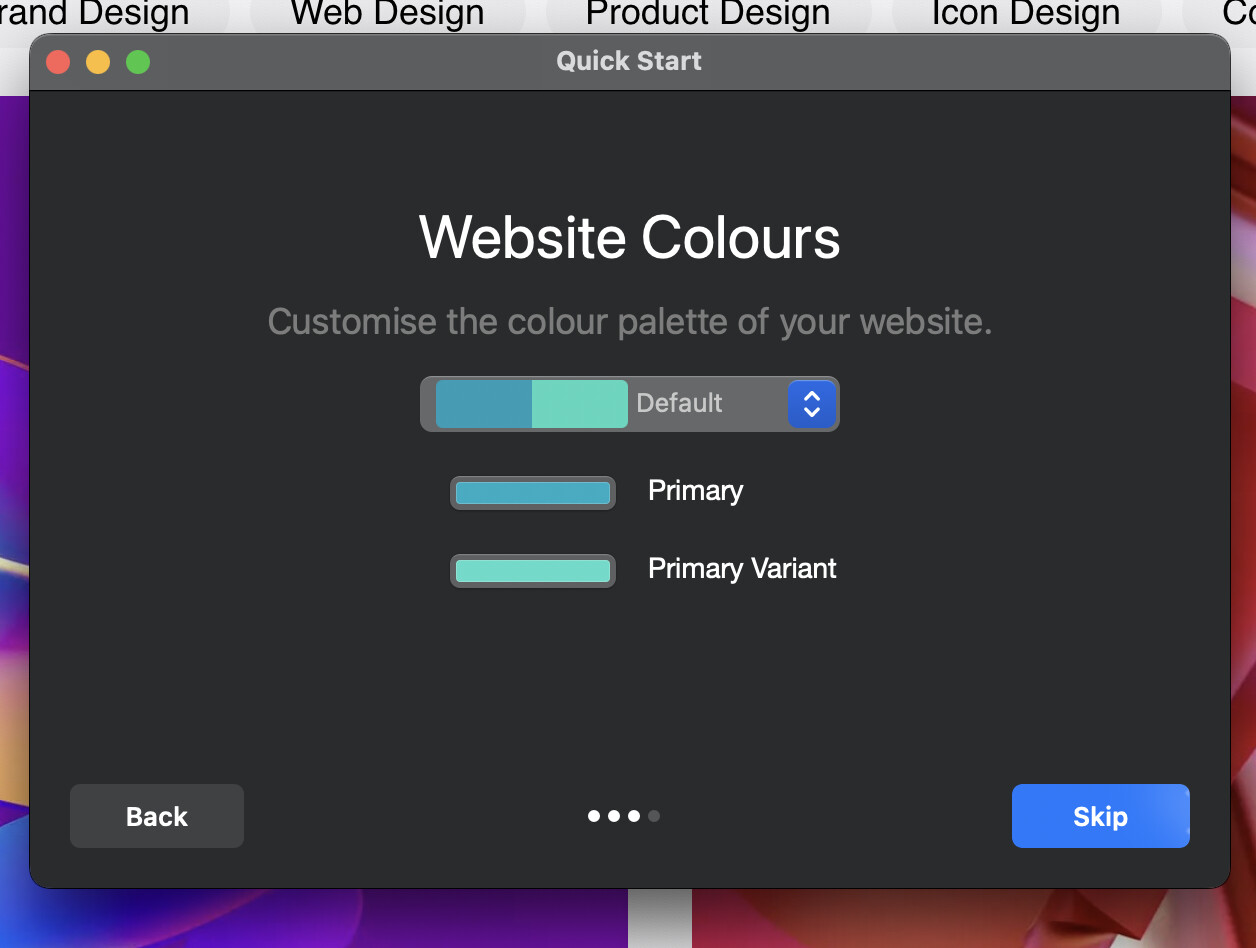
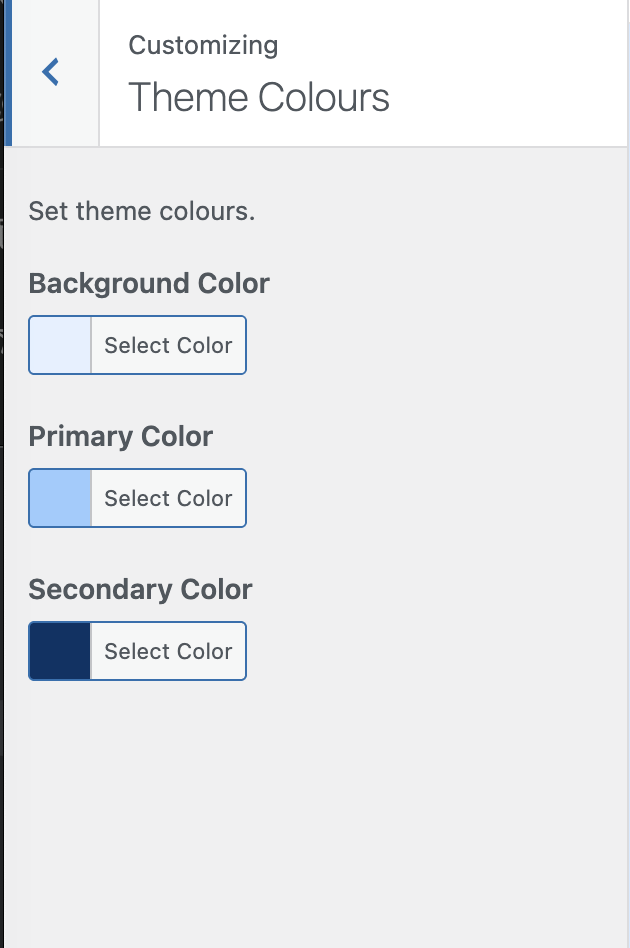
 For now, only the background color picker actually changes a color… (I can provide a fully built theme and blocs file if needed for testing).


