Maybe basic question: 
Just wondering, to make a Div or other block clickable / into a link, do I have to use Custom Interaction / Interaction Manager (which I assume uses JS)?
Or can I somehow insert the anchor (<a>tag) at the correct level?
Maybe basic question:
Just wondering, to make a Div or other block clickable / into a link, do I have to use Custom Interaction / Interaction Manager (which I assume uses JS)?
Or can I somehow insert the anchor (<a>tag) at the correct level?
If you’re talking about a word/phrase/picture as a link and you’d like the whole ‘box’ it’s in to be the link, I think it’s a class called .stretched-link you should be using on your word/phrase/picture.
That stretches the link to the enclosing box. (I think that’s the correct way, and not add it to the box! One way or the other, anyway!)
Hm, thanks!  I saw that class and wondered how/what it was for …
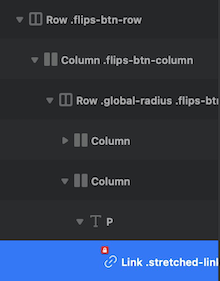
Tried applying it to the link inside this row:
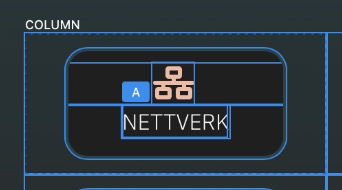
I want the entire column .flips-btn-column to be clickable.
But when I added this to two of these columns/buttons, it messed with :hover being stuck on the second button/column, and it seems I can click almost everywhere, and the last of the links containing the .stretched-link overrules the first … 
It’s a bootstrap class.
it requires a parent to have a position relative to contain it, lots of components in Bootstrap have the position set as relative already like cards. But you are using it somewhere else, adding the class .position-relative to a parent will stop it “flowing everywhere”. There are a few other style rules that effect .stretched-link as well, but it’s rare you would encounter that in blocs without some handwritten css.
Ideally there should be a wrap div in an anchor option, like others web building apps have.
Thanks! Got it working using .position-relative on the row. 
Agreed, that would be nice! I should submit it to the wishlist, I guess
Good luck