As much as I really like Blocs and have voiced my praise since version 2, there is sadly lacking an important feature. When using the new Asset Manager, which now has a zoom feature  , but missing is what this short video explains. I did not mention no sorting for the pages in the multitude of those on the left, but that option ought to be there also. Other than doing a search, it’s not easy to locate pages. The Asset Manager is frustrating to use when building with Blocs since version 6. :-
Just curious if anyone else has been disappointed with the removal of feature.
1 Like
If you press the button located at the top right corner of the Asset Manager it opens the asset inspector, you can then see all details of each asset you select.
Way more details than you could in previous versions of Blocs.

I’m also not sure what you mean regarding sorting of pages the new page navigator lets you sort pages and place them inside folders. However, the page dropdown menu at the top of the layer tree still just lists the pages.
1 Like
Hey Norm, thanks for such a quick reply.
The upper right hand corner is useful for sure for some details on the file, but what I meant was the following.
Here is what I meant by detailed/sorting view for MAC
:max_bytes(150000):strip_icc():format(webp)/ListView-56a5d4ae5f9b58b7d0de9f72.jpg)
Here is what I meant by detailed/sorting view for Windows Explorer

I think I missed this. Have you any videos or links on how this worked?
"the new page navigator lets you sort pages and place them inside folders"
The old asset manager did have a list view, but it only displayed the file name.
I’ll make a note of the list view as a possibility for a future release.
Currently, this is the first time the lack of it has been mentioned.
2 Likes
Also regarding page management, checkout the Page Navigator knowledge base page, it covers reordering and folders.
2 Likes
I’d like to add my vote for restoring the list view for the asset manager. Sometimes I like to see the full name of all the asset files, along with other details like date added and file size, if possible to add.
Thx.
pruthe
3 Likes
This feature is long over do. It would be great to open the Blocs Asset Manager just like macOS Finder and others Apps and at least have a list view. The abilities to sort by Name, Date, Size, Type, whether local and or Hosted would make Blocs great!!
2 Likes
Asset ordering is supported in Blocs for Mac 6.2 (beta coming soon).

7 Likes
This looks great!
Thank you Norm!
Rich the Weather Guy
3 Likes
Thank you, Norm!!  I have an idea of how busy you are, so this is a good start.
For any one who has lots of images it would be great to have the feature of sorting by date, size, and sequential number. I have a friend’s project that is started in Blocs 3, that has hundred of images. It would be so cool to sort by 001 to when adding, changing and or …
I know it may be long way off.  I have to use Adobe Bridge that take too much memory.
3 Likes
I may add filter by file size and let’s see if order by name handles sequential numbers.
As for dates, it’s unlikely I’ll add that as embedded assets (default workflow) don’t store dates added.
2 Likes
@Norm, here you can clearly see the problem…
As we all appreciate you adding Ascending/Descending sorting, it does not really help. I hope that you can understand the need.
Regrettably, Blocs still hasn’t added the ability to sort assets by name, date, size, and type—whether they’re local or hosted—similar to how macOS Finder offer these sorting options. Adding this feature would provide users with greater flexibility and help Blocs stand out.
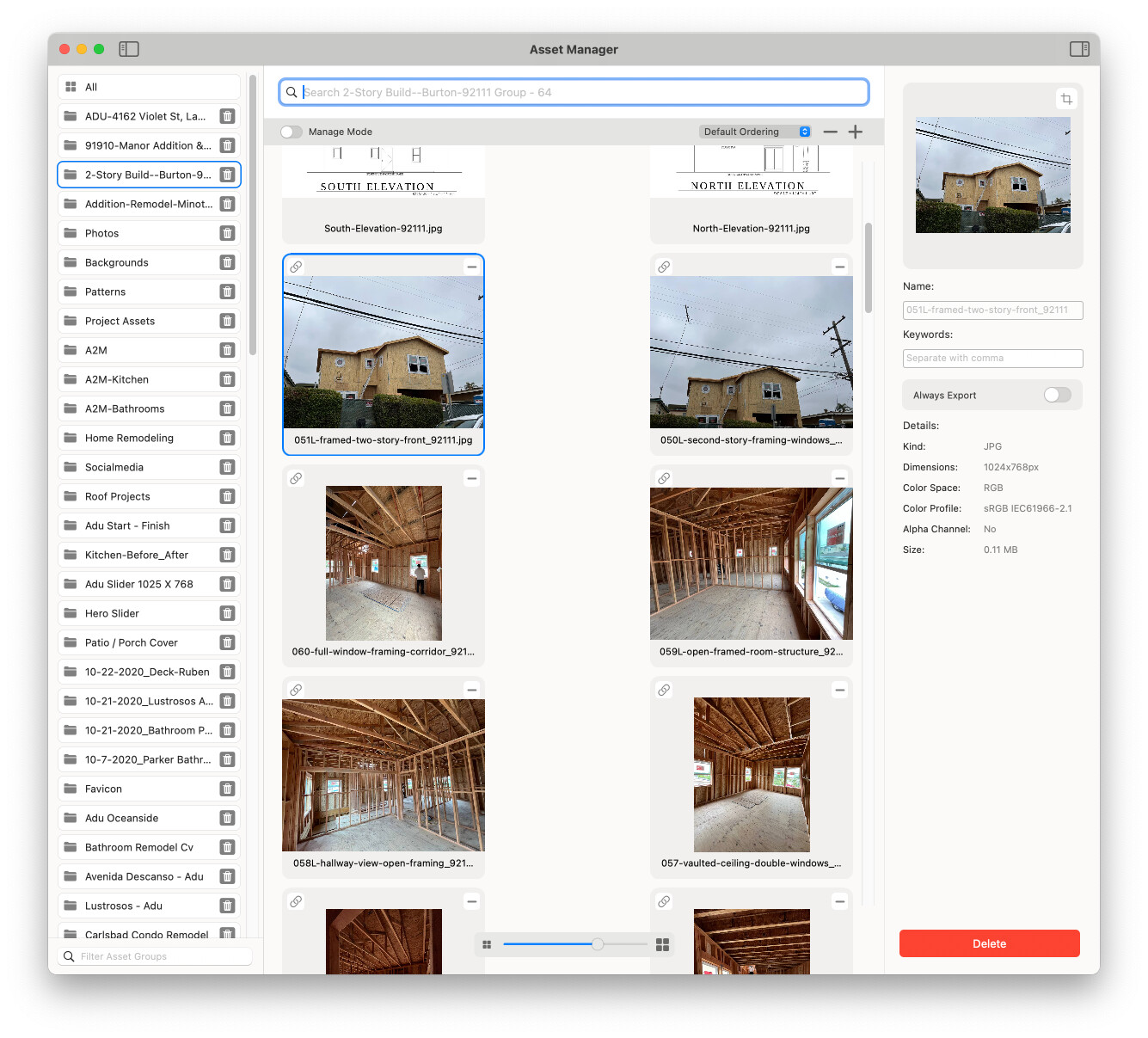
macOS shows just what I would be so helpful when Blocs incorporates this beneficial feature.
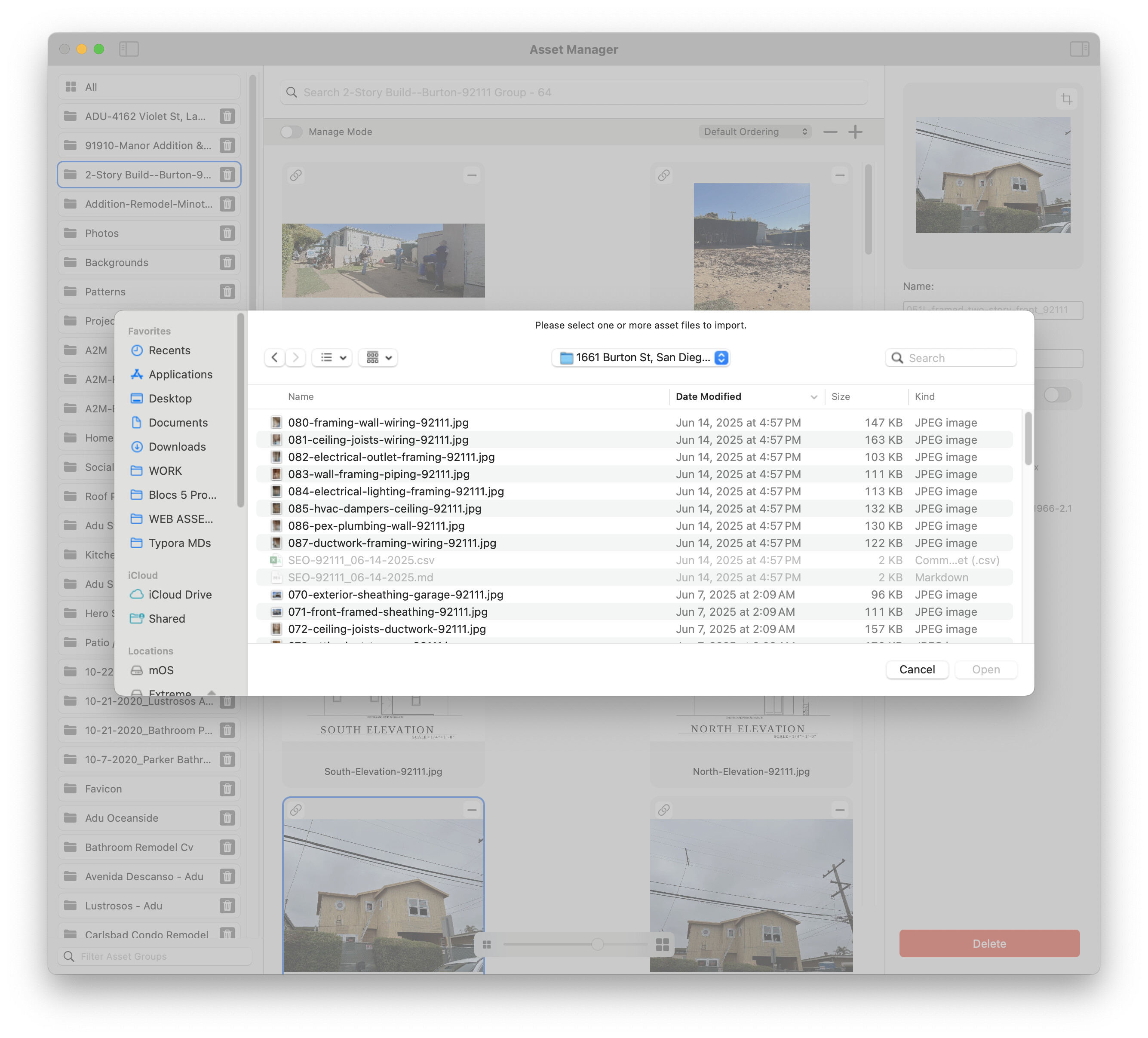
1 Like
Sorry, but I have to differ.
I understand what you need KB, but to say the sorting Norm put in place does not work misses the point.
For me, with all of the images I have (and I have hundreds) the naming convention sort Norm put in place works perfectly for me.
Adding more sorting options is a good thing, but to say “it does not really help” is an overstatement.
It helps me, but unfortunately, not you.
Rich the Weather Guy
2 Likes
For sure, we disagree. Tell me, looking at the second photo, it would be more beneficial than what Blocs 6 has now.
1 Like
Hey @KBConcepts we will be introducing some layout options to the Asset, Colour and Icon Managers in a future update. So you will be able to switch to a list view with smaller graphic thumbnails.
3 Likes
Thank you so much. I am looking forward to the updates.
2 Likes
Hey @KBConcepts, just a quick heads up, list view support is coming to the Asset Manager in Blocs for Mac 6.3.
It’s not an exact match to MacOS Finder, but you can switch to a list layout and filter based on name and type / kind in the Asset Manager.
3 Likes
Thank you, Norm I look forward to using it, especially on my construction project. I have hundreds of image assets.
2 Likes
Sure would be good to have this needed feature in Blocs 6.4. I am hoping you have already been working on it.
Do your assets have keywords because they are also used for search they may be throwing off the ordering.