Just in time for the weekend, here is Blocs for Mac V5.2 beta build 10 with more fixes and improvements.
Have a great weekend and I’ll be back early next week with the next beta. 
Just in time for the weekend, here is Blocs for Mac V5.2 beta build 10 with more fixes and improvements.
Have a great weekend and I’ll be back early next week with the next beta.
Hi @Norm
Looking at 5.2.0 b10 - I’m seeing a number of bugs w/ Page Lock:
**Parse error** : syntax error, unexpected '<', expecting end of file in **/private/var/folders/57/nnccdyq14tnfjwt684rwg55c0000gn/T/blocs-5-main-preview/other.php** on line **87**Looking at line 87 in exported code, see this:
This comment type was working a few weeks ago w/ that html comment ( I use it to target things w/ dom document php) - do I need to wrap it in /* */ now?
Also, as you can see in the screenshot, it keeps mutating the close of the comment by adding more dashes at the end (others on the page remain untouched) - this comment needs to be untouched as well, so it can be targeted reliably.
divs w/ class “hide-in-blocs-page-preview_snapshot” that wrap php are still showing php code in pg thumbnails
Appreciate your help on these things so can get this patched for the 5.2.0 launch.
Thanks,
Bill
BricsDesign
These html rendering changes usually crop up when WebKit is updated, which happens at the OS level.
I’ll take a look and will probably need a copy of the latest version of the Bric.
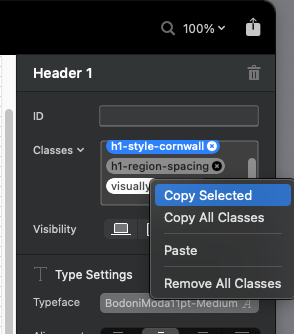
Does clicking the Class tokens open up the class editor or are you still having that issue?
That is working correctly for me in b10, which raises the question why we are seeing different results. Does it happen for you on both silicon and intel? Are you using a special 
 edition of Blocs?
I’ll do some checks on intel tomorrow we have 3 in the office. Last I checked I could’nt get the issues Jerry had which made think it was something todo with the processors speeds 
Can someone tell me how the horizontal scroll should work in V5.2. I have made a new project added a row, a column and then a container. Set the container on horizontal scroll… and now if I want to horizontal scroll an image - what to do…?
Check out the included Blocs that give you an idea of how it works.
You will see each item is in a Div that has a width based on the number of items you want visible, and by breakpoint.
Glad to hear it works as expected on your other Mac 
Do you have any apps running on intel (in the background) that would monitor the screen to aid with layouts of windows such as Moom etc.
I’m wondering if there is mouse tracking interference on your intel mac caused by another app.
Also a few other questions for the broken setup.
• Are you running Blocs full screen?
• Do you get these results in a fresh project?
• Do you have an accessibility options enabled on MacOS?
The way horizontal scroll works is it creates a scrollable collection of items that can be scrolled horizontally. As @PeteSharp mentioned the pre-made Blocs offer an example of how this functionality is intended to work.
I’ll be publishing the docs for all of the new features in Blocs V5.2 later this week, which I’m sure will help 
Hi @Norm,
Wordpress featured image sizes work when published, however it shows an empty image placeholder in preview mode.
Is the custom post loop working for you now?
OK. What if you want a horizontal scrollable background…?
Hi @Norm,
The loop works when published, as I pointed out. In other words, if I select a medium size featured image, it display in WP.
However, in preview mode, if I select a Medium size featured image, no image shows (like a missing image link). If I just select the featured image (no size specified) then the image shows in preview mode.
Does that make sense? If not I can send you some images or a short video.
You might need to describe more details about what you want to achieve.
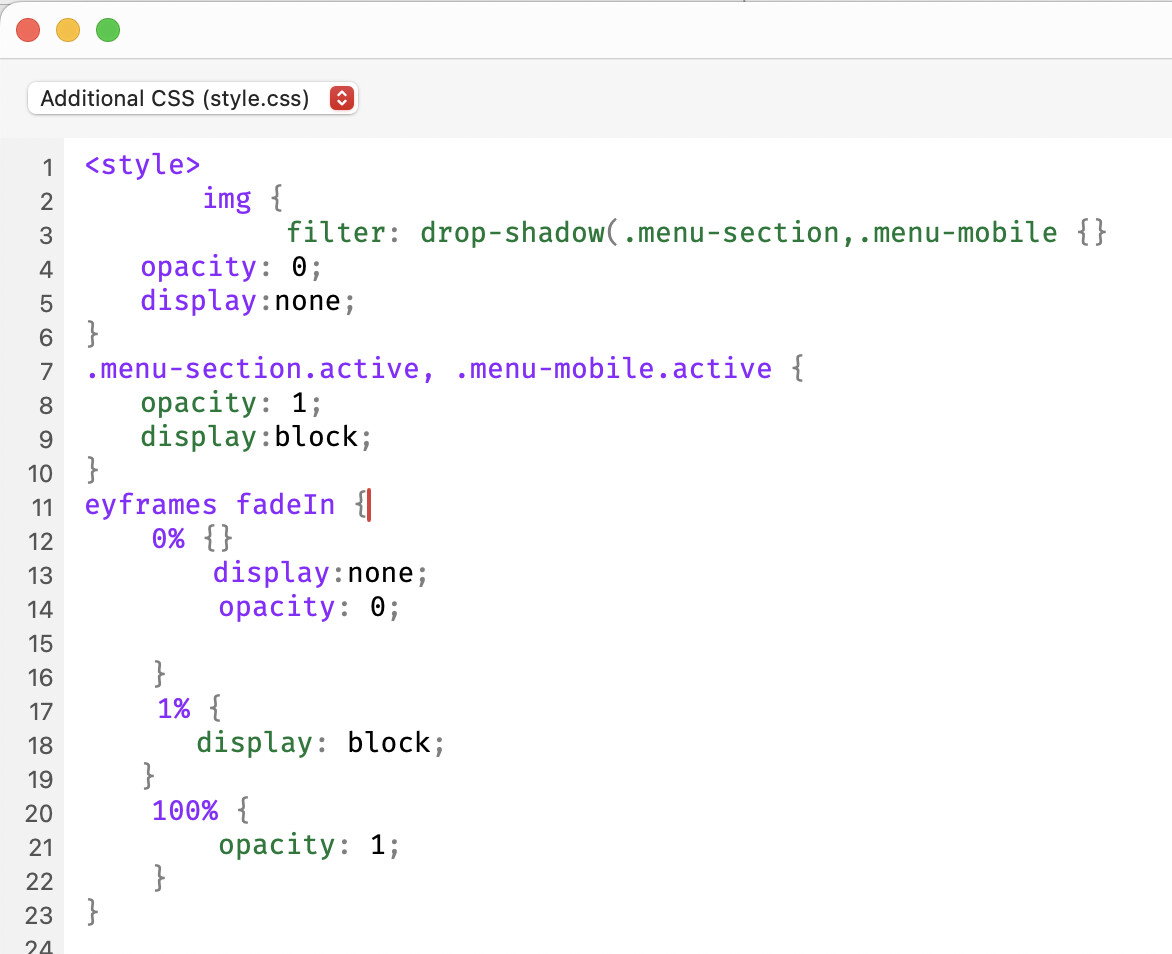
When using undo (cmd z) in the code editor, it seems to start to scramble the code when going back several steps. In one case it partially added code from the header zone with code in the CSS input zone and mixed them 
That opening style tag is from the header input zone and you can see how its messed up the syntax. It removed the @k from the keyframes.  and I am not sure how the display: none ended up in the key frame either. The class names are missing from the first one (where the style tag and img tag appear), it wasn’t even polite enough to add the closing style tag
  I am pretty sure the modified CSS animation won’t work either
Example
Out of interest is this your intel machine or both intel and Apple Silicone?
I’ll take a look at that today.
Hey @Bill
Regarding your use of HTML comments inside of your PHP function. Support for this is contradicted by the the browsers not Blocs.
I’ll look into the additional dashes being added (-), but you should be using php comments not html ones inside of the PHP code.
Look’s like this is caused by the miss-use of the sync api call in your initi custom Bric call. As mentioned previously and now noted in the docs, this should only be called when there are changes to sync back to the document. Currently your Bric is calling sync every time it is selected regardless of whether there are changes.