I’m new to blocs, but I’ve been learning from the Blocs Master courses by Elgar.
What I want to accomplish is to list my own handmade products on my site (not using e-commerce sites), and have a ‘buy’ button for each.
On the top menu bar a shopping cart button with a number that shows the number of items in the cart.
When you click the cart, you see the list of items you want to buy, but - and here’s the catch - I don’t want to process any payments. All my items are handcrafted and built-to-order, so what I want the ‘cart’ to do is to when they ‘checkout’, email me this list of items they want, together with their details, so I can contact them directly and discuss lead time and other options.
I know this ‘seems’ like I need to use ECWID or something, but my items are craft related, not popular and more specialist, so paying monthly or even taking online payments isn’t something I want or need.
Ideally, I’d like to be able to do all this myself, inside and only using blocs.
Would anyone have any idea how to go about this please?
Hi @TEMPEST_114 , welocome to Blocs.
I think having the cart showing numbers might be your main UI problem, otherwise, a simple form with some dropdowns (depending on the amount of items you’re offering, which could make it very unwieldy) could be a solution.
That would then email you the client selections, contact details and no payment details.
But please keep us informed of the route you go down, it’saways interesting for us all to know your solutions.
How would you use a drop down menu and a form to add items to the form?
In terms of different items, there is only 9 or 10 items, BUT most of those have an infinite choice of colours the user has to select from (colour picker), so I don’t see how a drop down can work, if after they’ve selected the product they have to then use a colour picker to choose the colour… maybe it could… I’d have to think.
Still, as a complete noob I don’t know how - using only blocs - I can add things to a form when selected from a drop down list (and from a colour picker).
Ah, ok, didn’t know that bit, however depending on how many colour variations:
ITEM 1 (blue)
ITEM 2 (black)
ITEM 3 (red) etc
And repeat for each of the 10 products.
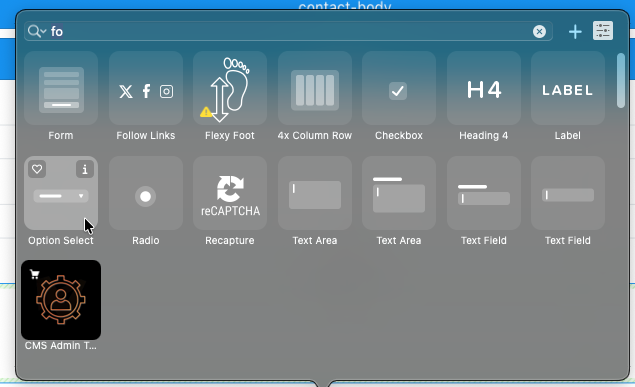
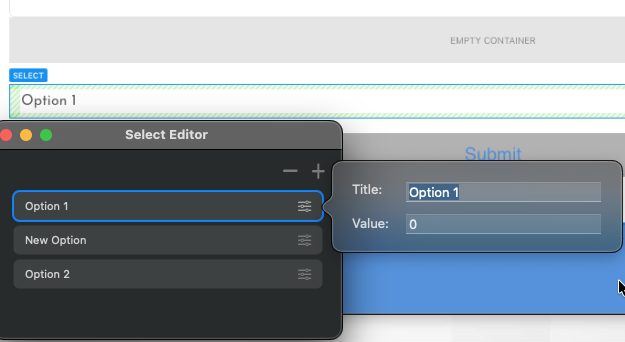
It would be adding the ‘Option Select’ item to the form (possibly 10, 1 for each item with it’s colour variations) then adding your variants.
Another way would be to add fields with a radio button check next to each one, so users would then be able to have multiple choices (even of the same object)
Not the most elegant way of doing it, but the only built-in solution I can think of.
Hi. Thanks for engaging but I did say an INFINITE number of colour choices - a dropdown box doesn’t help.
I could have a colour picker on the page that outputs a CYMK value and I’d need that ‘injected’ into the web form after they confirm the colour choices.
But they can choose from infinite colours for multiple products, so that becomes very complex.
This is why I need html/css/javascript to code my own ‘shop’ - there is a fantastic tutorial on YouTube for doing this, but how to code an entire page in code and have that page integrate into Blocs - I haven’t a clue how to do that.
On top of that the ‘page’ that is created with the tutorial also creates the entire site’s ‘nav bar’ - as it has to create the shopping cart icon and badges.
How the heck to integrate that with bloc’s own nav bar for all the other standard blocs pages?!
I understand I can use JS LOCALSTORAGE to store the shopping carts contents and then access that to populate a non-editable text box of a webform on another page - so that fixes the shopping cart / custom colours into a web form - but integrating a page entirely done in code - with a nav bar that works across all blocs pages AND the custom page - I have no idea if blocs can even do that.
So far I’ve paid for Blocs 6, Sitely and today I bought RapidWeaver’s Elements - Elements is able to handle this custom shop page code / nav bar integration perfectly… but in all other regards it’s poorer than blocs. Especially for price / features.
I can’t find a single website builder app that can do what I need.
I’d really like to be able to stay with blocs, so can you or anyone please help?
I think what you are trying to build will definitely require custom coding. However, a visual builder like Blocs is very capable of being used with additional code.
Using Blocs with Custom Code
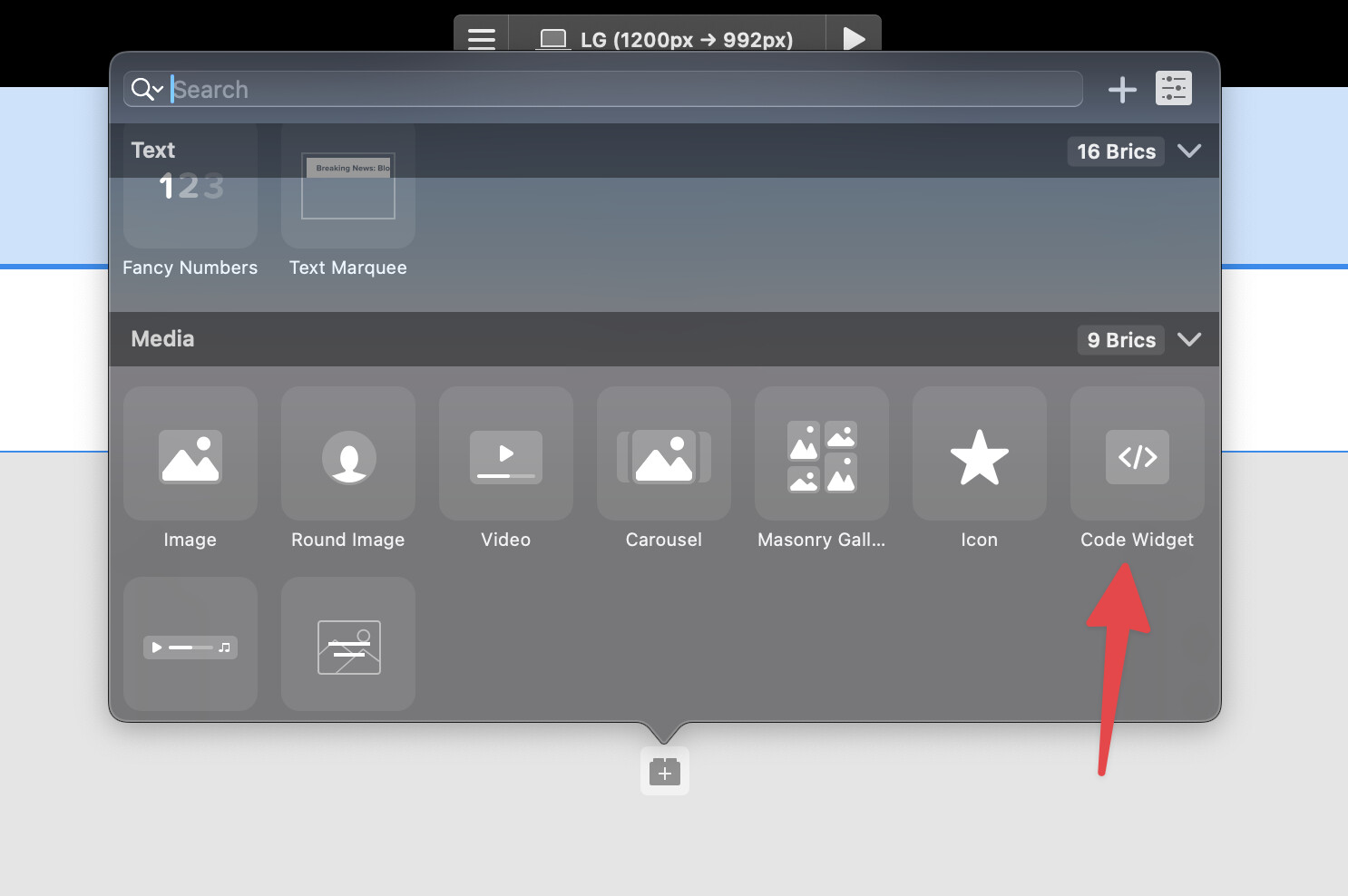
Blocs has the code widget and additional code zones which you can access on each page and across the entire site.
Use these to insert code into the page, pretty much anywhere.
As for the code language you may find a combination of php and ajax a good choice for a little added security regarding emailing customer orders etc.
Wordpress
Another alternative may be Wordpress, you could either use a pre-made theme or build your own with Blocs Plus (it’s involved, but easier then code), then use one of the well maintained checkout plugins with your theme.
In it you use html/css/js to create a nav bar, a shopping page, shopping products, a cart page and a cart nav bar icon with item count badge.
Where my lack of experience & familiarity with html and css elements is hindering me is that if I build a site in blocs for everything EXCEPT the shopping page, then I can’t use this video tutorial because I already have a nav bar.
So how, if it is at all possible, do I edit the blocs nav bar using the code from this video to add the shopping cart behaviour?
Or do I have to start with the hand made nav bar and shopping page and then I can use blocs to import that page and expand on the nav bar from there?
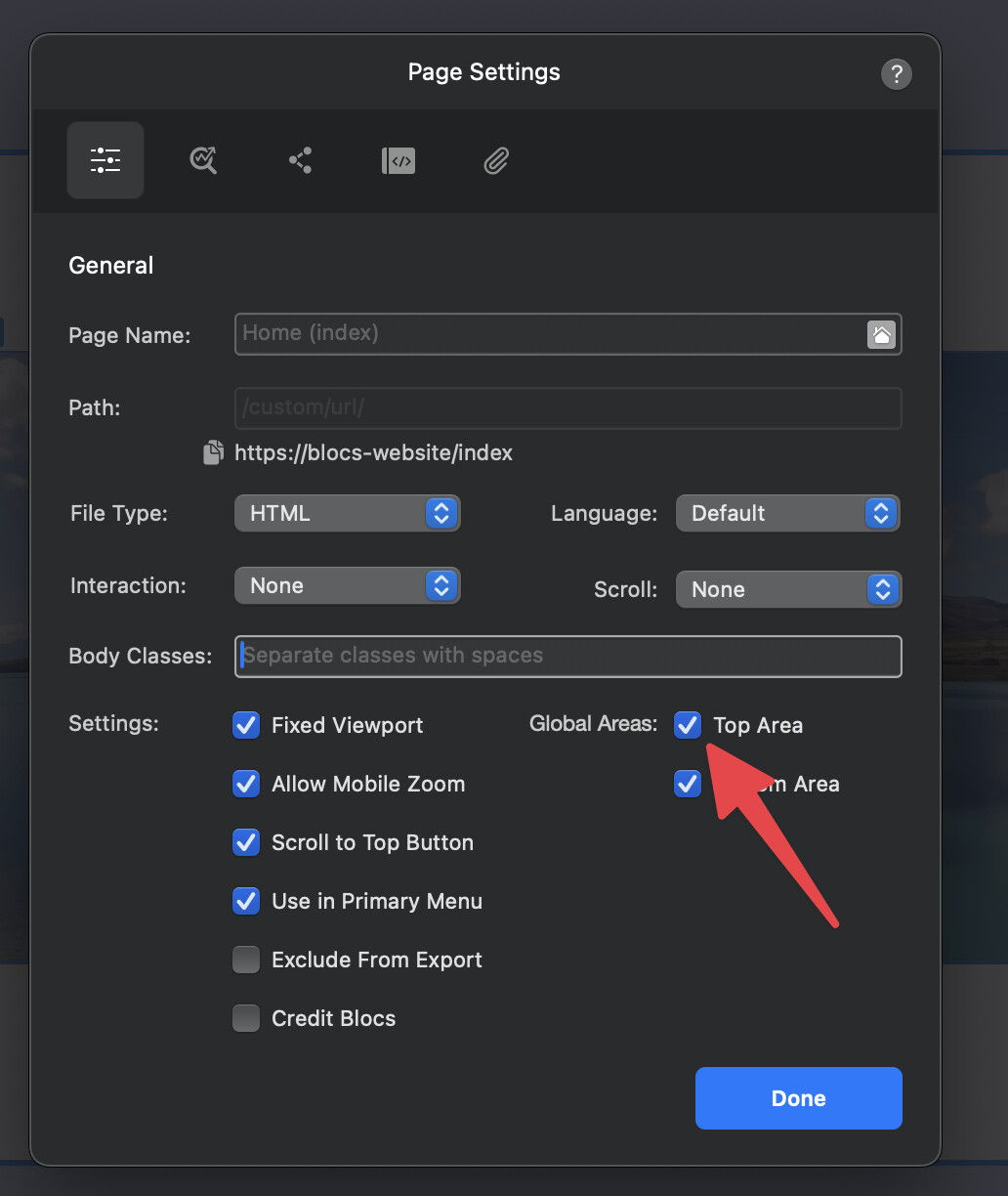
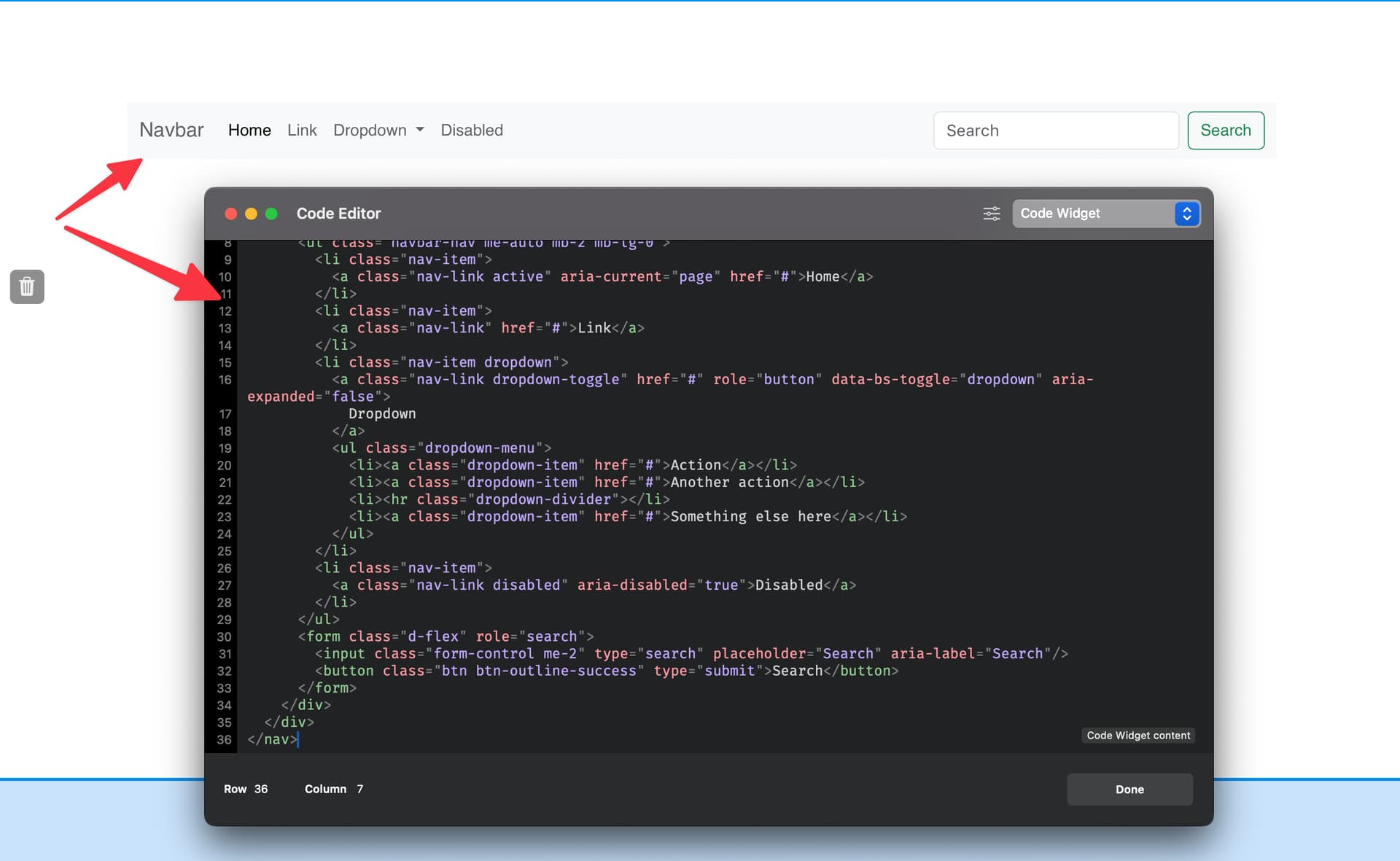
On your shopping page just disable the top Global Area (in page settings) which I assume contains your site wide navigation that you want to replace with the custom one.
Finally paste in your custom navigation html code in this widget. This example just has one of the default Bootstrap 5 navigation html examples pasted in, hopefully you get the idea.
Finally insert/attach your JS scripts to the page to handle logic, using either the Code Editor with your desired code zone or using page attachments to attach the JS file.
I didn’t spend a great deal of time with this, but you should get the idea that it’s very possible to port this over to Blocs.
You may actually find a Blocs community member that will port it over entirely for you, for a fee of course.
Some Important / Helpful Points
• Many of the code widget parts could easily be built with Brics within Blocs, you would just need to ensure you use the classes on each part in order to make it function correctly. I have just put most of it into code widgets to show that its workable. However, I did manually create (with Brics) the navigation and shopping cart icon part, which is a section I think you initially mentioned.
• A lot of the CSS dumped into the Code Editor (CSS zone), could also be manually created in Blocs using custom classes, which would give you a visual way of adjusting styling.
• All of the product meta data is coming from a json file, unless you know what you are doing or plan to use a json visual editor, you will likely break your website very easily by manually editing the product meta data directly in json.
• The example you want to use is very visual, you would still need to handle the email processing, order tracking and payments etc.
Hi Norm. Thanks for the project, and your suggestion make sense, however if I use blocs to create / add to the nav bar that doesn’t match up with the ‘shop’ nav bar. So I still am confused about how to marry to two.
As you can see here , I have a navigation and the checkout icon. This is all within the editing capabilities of Blocs, so no code to manage this visual stuff.


 , I have a navigation and the checkout icon. This is all within the editing capabilities of Blocs, so no code to manage this visual stuff.