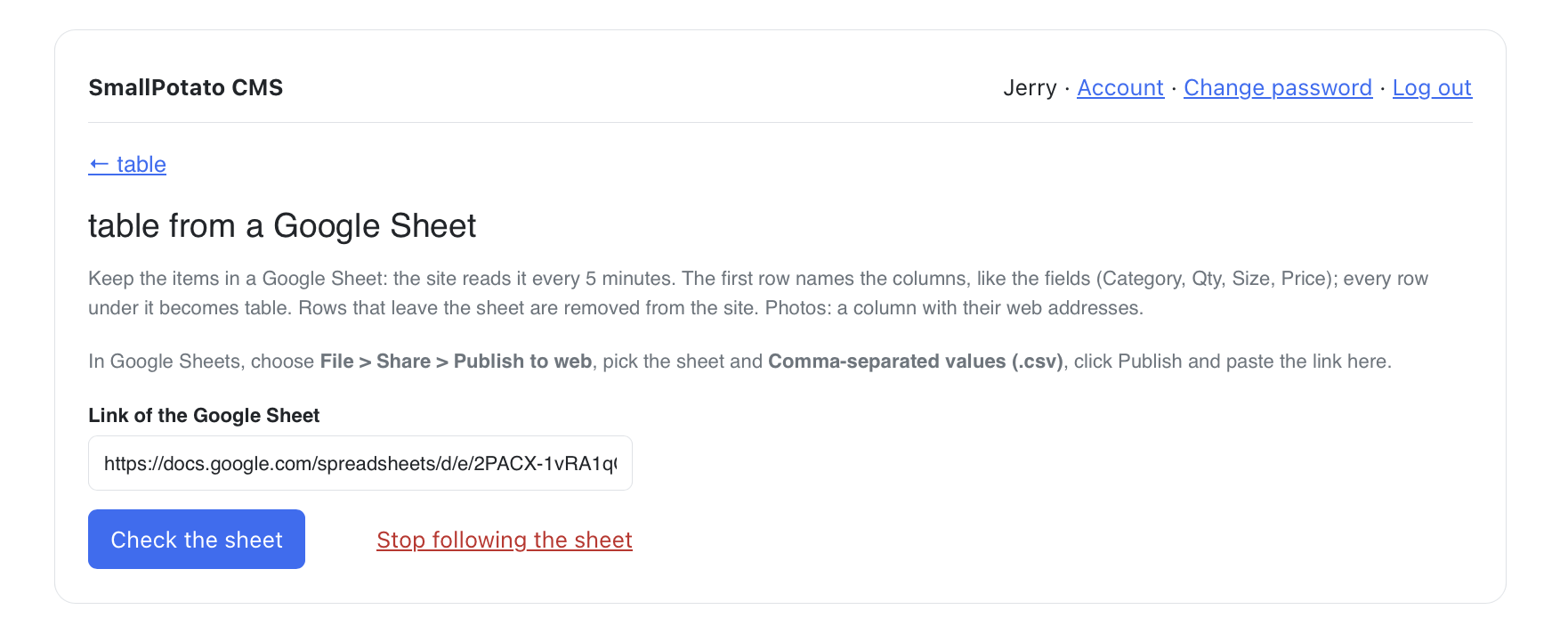
NEW BRIC: SmallPotato CMS 2.1.0 released: Google Sheets, Table Bric, Find & replace, Collections, Columns

Hi @Blocs_User,

Thanks so much! Glad the 1.1.0 update landed quickly. The truth is we have lots of new features already built into the Bric that just aren’t showing in the UI yet. User feedback matters here, and we want every Bric to line up with what you actually need. Keep an eye on the Extension Manager. We’ll post another nifty update after my morning coffee :hot_beverage:

l like to read “yet”
:smiley:

1 Like

Hello Blocs Brics Fans,

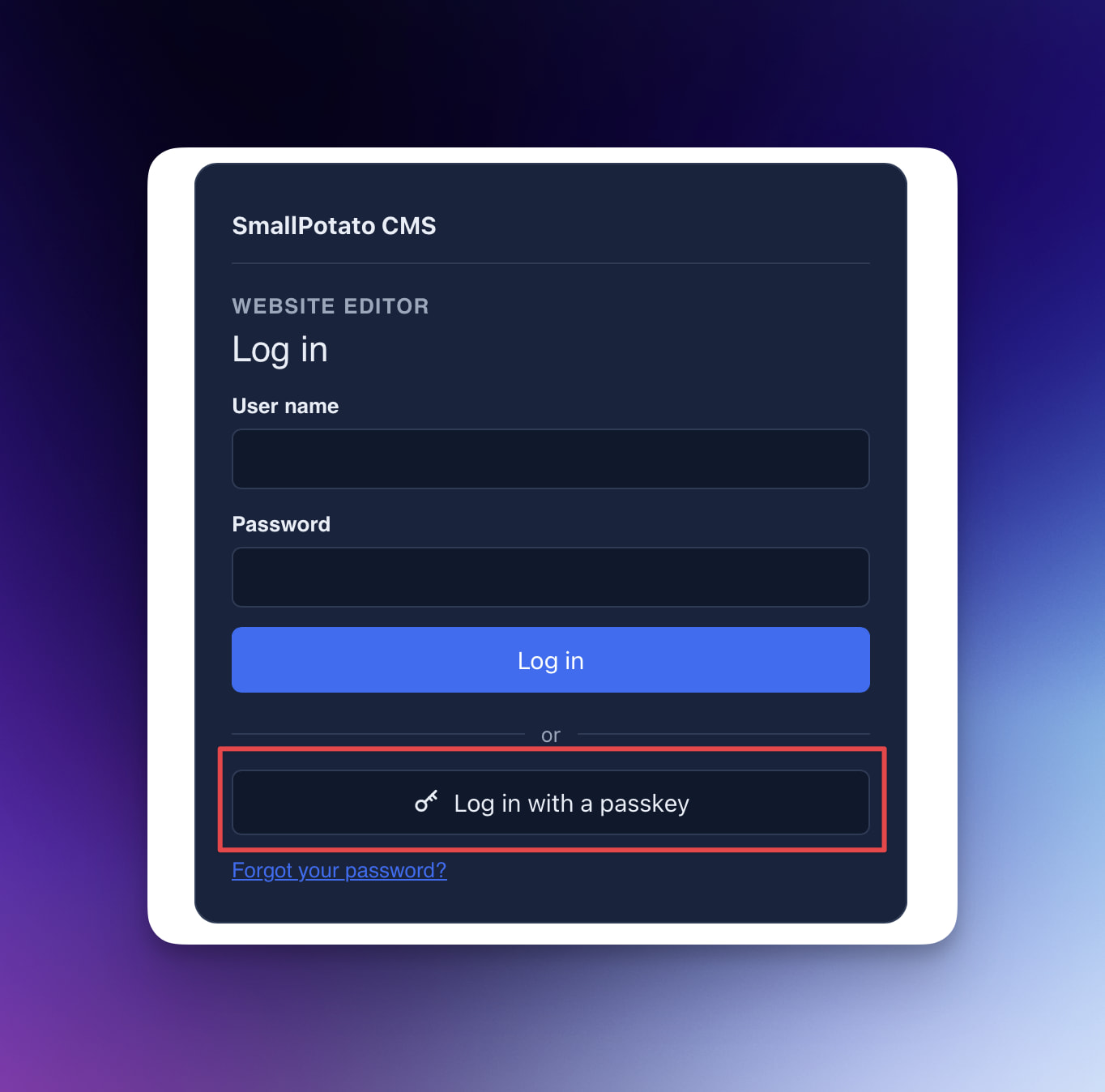
Quick free update for SmallPotato CMS: passkey login is here :locked_with_key:.

You can now sign in with a passkey instead of (or alongside) your usual password. It’s a small change, but it makes logging into /edit/ a lot faster and safer, especially on a phone or laptop that already has Face ID, Touch ID, or a security key set up.

Think of it as the more secure, more convenient step beyond traditional email, message or authenticator verification. Nothing to type in, nothing phishable, just tap and you’re in.

Grab it through the Extension Manager in Blocs. After you update the Brics, export and upload as usual, then set up a passkey from the admin once you’re signed in.

1 Like

^ Thats a much more advanced modern and secure solution compared to traditional 2FA (Two-Factor Authentication). Should also work nicely with Windows Hello or Android Biometrics so it’s inclusive for all end users.

Already advancing fast with features early on in v1, by the time V2 rolls out it will be off the charts.

This folder is in the main root - but: would it be possible to put into the webfolder ?

Hi @Blocs_User,

Thank you, I’m greatful you like it! Yes, passkeys work with Windows Hello and Android biometrics as well as Face ID and Touch ID, so everyone can use them. More is on the way, so keep an eye on the Extension Manager.

Hi @webixi,

That’s by design. The smallpotato-data- folder sits next to your site folder, outside the public web folder, because it holds your users, settings and other private data. Keeping it out of the web folder means nobody can reach it from a browser. Passwords are stored only as secure hashes.

Only if your host doesn’t allow a folder there does SmallPotato fall back to includes/smallpotato-data inside the site, and it locks that against visitors.

I played quickly with the demo and for sure I’ll buy it. It looks nice and effective.
Currently, I’m using Volt CMS which is quite stable but the development cycle is slow and it misses features.

What is missing in both CMS brics is to manage DIV’s (rows, columns, width, etc.), which would allow us to better format regions. We can just do it in Advance HTML but it is not easy for my clients who just want to edit regions and don’t have any idea of code.

Would be nice to have an editor, something like TinyMCE, without being so advanced and complicated. My idea behind this is to sell Blocs website with a CMS bric rather than having to switch to Wordpress or Joomla, too heavy and insecure.

What do you think ?

Hi @svimic,

Thank you, I’m glad the demo got you excited!

The Rich content mode is already a light, word-processor style editor, so your clients never have to touch code. It covers headings, bold, italic, underline, links, lists, quotes, alignment, images with captions, PDFs, audio and YouTube or Vimeo videos. Advanced: HTML is only there for you, the developer.

Tables are actually already built into the current version, they’re just not unlocked in the interface yet.

Here’s why I’m taking my time. Tables look simple, but in the browser they’re one of the hardest things to edit. Every browser (Chrome, Safari, Firefox) handles typing, pasting and adding or removing rows and columns inside a table differently. One wrong click or a paste from Word can break the table’s structure. Column widths jump around while you type, and on a phone a wide table either squeezes the text to nothing or runs off the screen. Making all of that safe for a client who has never seen HTML takes a lot of testing, and I’d rather unlock it when it’s rock solid than give your clients something that breaks their pages.

Rows, columns and widths for layout have exactly the same problem, so for now let Blocs handle the layout. Build the rows and columns in Blocs, then put a SmallPotato Region inside each column, each with its own key. Your client edits what’s inside each column, and the grid, widths and spacing stay exactly as you designed them, on every screen size.

Everything’s in the manual: SmallPotato manual

2 Likes

Thanks @Blocs_Brics , i shall take it for a test drive at some point - just in the middle of a housemove at the moment, hence now replies from me!

1 Like

Thanks for the detailed answer. I understand your points.
The unreleased table editor looks great !

A very simple need when redacting an article or a blog post is to mix text and images or have few images on the same line. How would you do that in Small potatoes CMS ?

Using tables might do the trick.
Let’s wait for them and I’ll give a try.

Thanks and go ahead, don’t let Claude sleep :wink: .

1 Like

Hi Blocs Brics Fans,

SmallPotato CMS 2.0 is out.

The last public release was 1.1.1, and enough has been added since then that it deserves a full version bump.

If you’re new to it: SmallPotato is a set of custom Brics that turns a normal Blocs site into something your clients can actually edit in the browser (text, images, posts, lists, tables), while you keep designing everything in Blocs as usual. No database, no Composer, nothing extra to install on the server. Client content lives outside the export so re-exports never overwrite it. You also get a copy of ReadPDF, which shows your PDFs right on the page and works with SmallPotato’s PDF field out of the box.

What’s new in 2.0

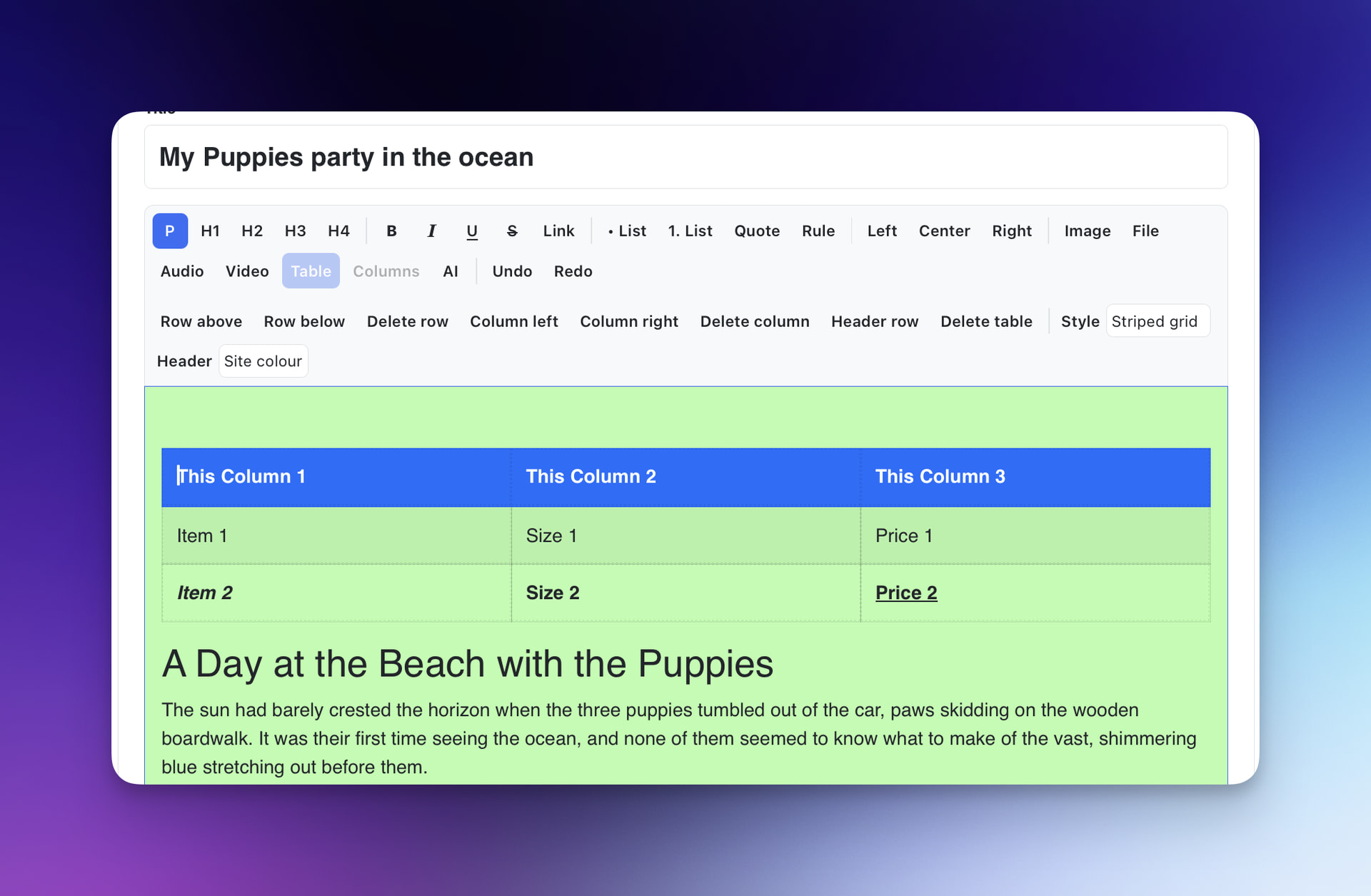
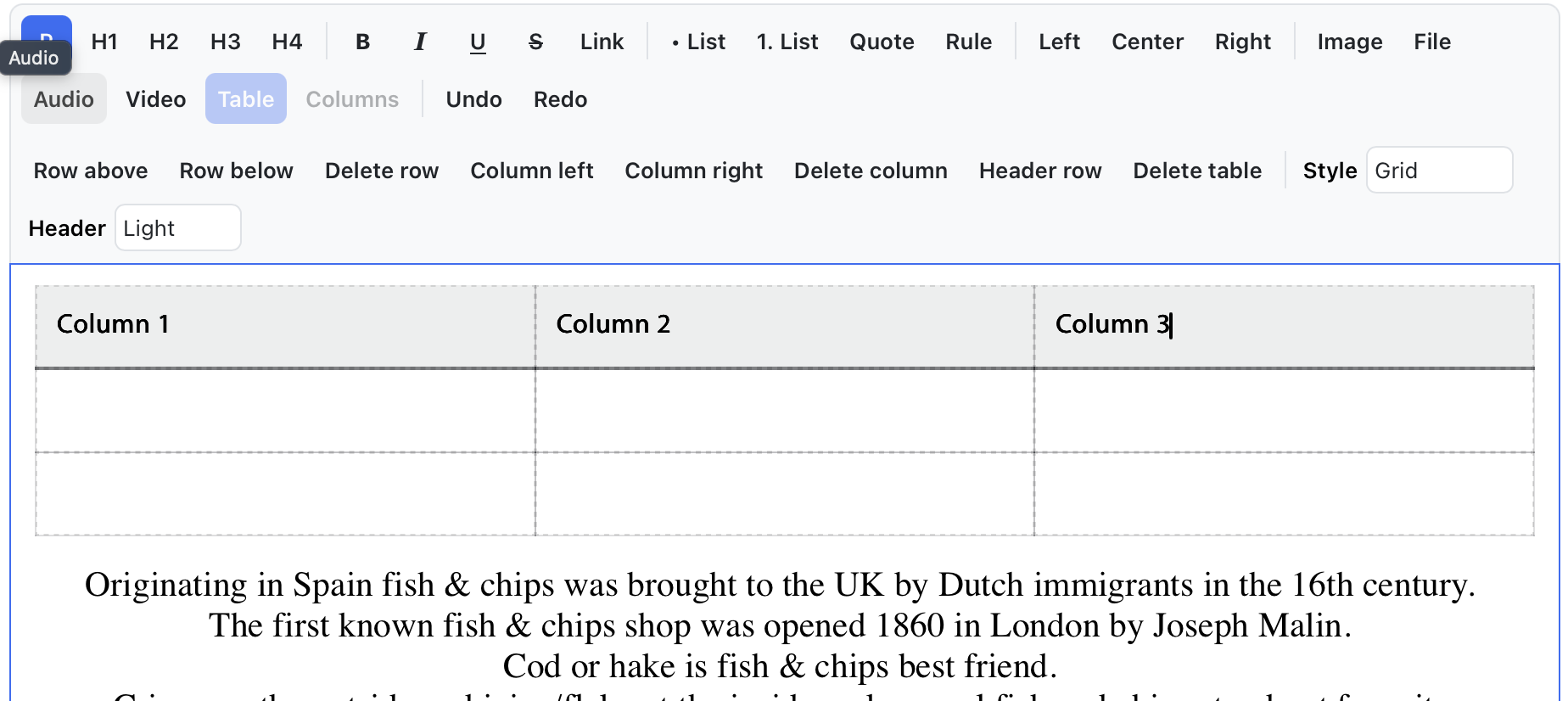
SmallPotato Tables (new Bric)

A real data table you place in Blocs and fill from the admin.

  • Live search while typing (no page reload)
  • Sortable columns, pagination, photos and links per row
  • “Download as Excel” button for visitors
  • Rows become cards on phones
  • Every label and the search box style can be set in the sidebar
  • Fill it by uploading an Excel file (with image names)

Find & replace

Search the whole site from the admin and replace a word or sentence everywhere at once. It only touches visible text (never your markup) and creates a backup before each replace.

Collections (two new Brics: Collection + Collection-Field)
Lists of anything (team members, products, events, etc.) shown as cards or lists, with an automatic detail page for each item. Includes Excel import/export, bulk select & search, and warnings when a key in Blocs doesn’t match the admin.

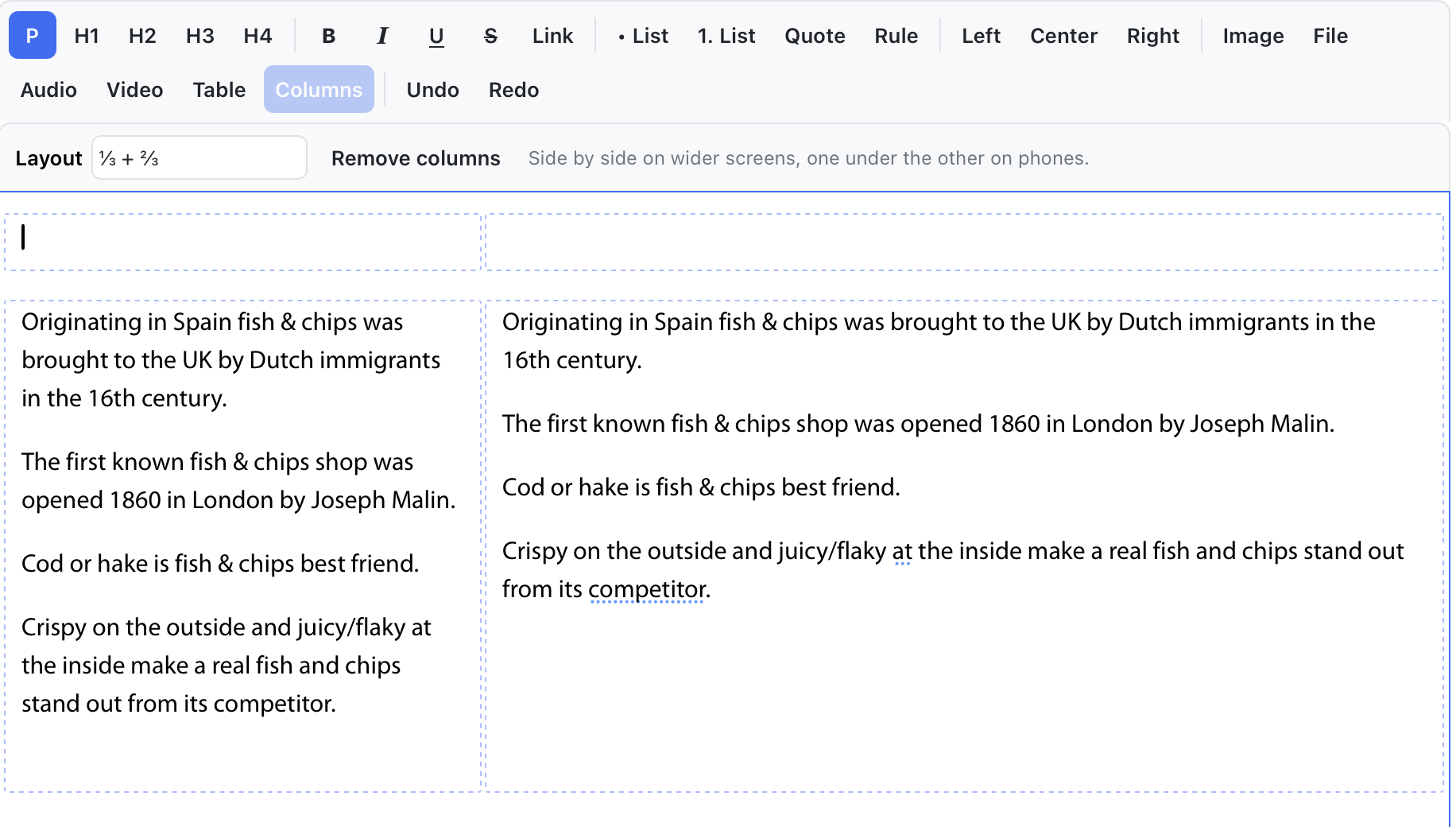
Columns and Tables in the rich editor

Two, three or four columns, or 1/3 + 2/3 layouts, using Bootstrap’s grid so they follow your Blocs breakpoints.

Compare versions
Page history now shows exactly what changed between two versions (word by word) before you restore.

Dashboard & automatic backups
An overview screen after login, plus a weekly backup that runs on its own. Newest backups are kept, old ones are cleaned up automatically.

SEO & AI improvements
Item pages (from collections) are added to sitemap.xml and llms.txt automatically.

Price & FREE ReadPDF offer

  • New buyers: $59.99 for all eight Brics.
    The first 10 buyers get ReadPDF included FREE in the download.
  • 1.x owners: the upgrade is FREE, and ReadPDF is included FREE for you too.

:police_car_light: Important for current users

The Extension Manager only updates the five Brics you already have (Region, Admin, Posts, Post-Field, Recent Posts). To get the three new Brics (Collection, Collection-Field, Table) and ReadPDF, download SmallPotato again from your Lemon Squeezy account. They’re all in the new .zip.

Get it: Buy SmallPotato CMS v2.0 now!
Read the detailed full Manual :backhand_index_pointing_right:: here
Demo Playground: Go to the demo page

5 Likes

Amazing update. Just started using version one on my new site and have more work to do today - but in a very good way. Tables and data from sheets looks great.

Thanks @Nigelp :folded_hands:
Do reach out if needed!

1 Like

Wow. The table function is smooth and slick. Looks great on the website also.This is a half finished site I’m just working on and I’ve put it on the page here: https://wessexadventures.co.uk/walking-workshops/

Bottom of page - look great and performs well on page speed (I guess because it all sits outside the website on server?). Looking forward to playing with the rest of Small Potatoes. I have a larger main site that I have been procrastinating on updating and can see how the table function and CMS will fit right into that so fires up to get that done after this aite is complete and tidies up.

1 Like

And thats only the beginning :innocent:

Thanks for sharing one of the countless posibilities of it.

Linked to a google cvs file. :wink:

1 Like

Something like this? :thinking:

2 Likes

I downloaded & installed Small Potato CMS.
Dabbled a bit & seems to function as expected.
Today my servers ‘Malware Scanner’ through up 1 infected file!

I’ve sent developer an email - via my receipt.

I included a screenshot (not sure how to load it in the forum)

1 Like

Hi @strathq,
email well received and responded already. I’ll post my response to you below to give context to your post.


Hi Gary,

Thanks for sending the scan report, and sorry for the worry. This is a false alarm, and your site is safe to keep using.

Why the scanner flagged it:backhand_index_pointing_down:

The rule your host’s scanner matched is called php.file.put.contents.temp.name.curl.exec.unlink. The name lists the four PHP functions it looks for. The scanner doesn’t check what the code does with them. It flags any file that uses all four, because malware often does: it downloads a file, saves it, runs it and deletes the traces.

smallpotato-api.php runs your CMS admin. It uses each of the four for a normal admin task:

-curl_exec downloads from another website. Your admin uses it for the AI writing assistant, for YouTube and Vimeo video links, and for importing photos or a Google Sheet from a web address.

-tempnam / tmp_name handle temporary files. tmp_name is where PHP puts any file you upload (images, PDFs, MP3s, backups). tempnam makes a short-lived temporary file while a downloaded photo or an imported sheet is checked and saved.

-file_put_contents saves data. Your pages, posts, collections, settings and backups are stored in files, so every save in the admin uses it.

-unlink deletes a file. It runs when you delete an image, post or collection item, when old revisions and backups are cleared, and when a temporary file is cleaned up.

All of these run only from your admin.

What I’d suggest now:

  1. Upload the file again from your own export. In the folder Blocs exported for your site, find includes/smallpotato-api.php and upload it over the copy on your server. This replaces the server copy with the one Blocs made, so you know it hasn’t been changed.

  2. Tell your host it’s a false positive. You can quote the rule name and the explanation above. Most hosts let you mark the file as safe, or their support can whitelist it. If the file has been quarantined, restore it or upload it again, or your admin page will stop working.

I will add a permanent fix for this in the upcoming version :tada:

In the next update (SmallPotato CMS 2.1), the code that uses curl_exec i will move into its own file. That file never writes or deletes anything. After the update, no SmallPotato file has all four functions, so this rule won’t match. When you install 2.1, click the SmallPotato Admin Bric once in Blocs before you export, so Blocs includes the new file.

If your host asks for more detail, send me what they say and I’ll help.

Kind regards,