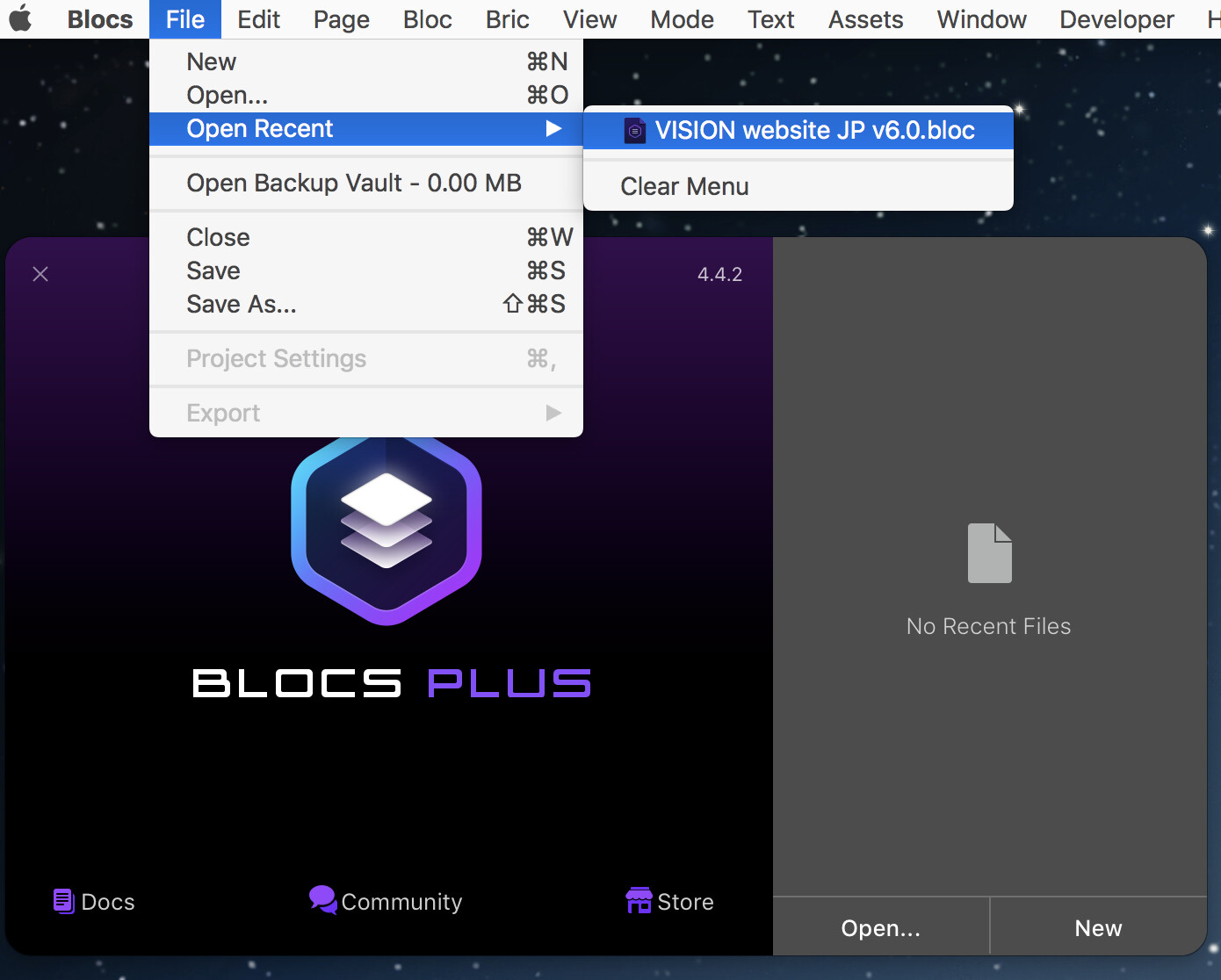
I started seeing this for the first time today. “No Recent Files” at right in the Open box remains constant no matter how many Blocs documents I open and close, and no matter how many times I relaunch Blocs. And yet, the name of the last document I open remains visible in File > Open Recent. “Open Recent” should list more than one document, which is a problem, but even worse is the fact that the gray area which says No Recent Files is completely ignoring the document shown inside the File menu. Makes no sense at all!
Great! Now nobody can come along and say my case is irrelevant because I used an unsupported OS! If you get the same issue on an M1 Mac with the latest MacOS Monterey OS, then it’s clear some bug must be at work which happens across OS versions.
It seems like no one else has any further great ideas on how to solve the problem, so I will file a bug report with @Norm.
I filed a bug report and alert Norm to this thread nonetheless. Because even if his 16" MBP isn’t an M1, it’s still running a newer, supported OS, which means this problem must be supported! He he!
I also confirmed the problem in Blocs 4.5b5! When I downloaded that beta just now and launched it, regardless of how many Blocs docs I open, the gray right sidebar still says no recent files!
Of course. Every app works normally but Blocs. That’s why I reported it. Had I the same problem across other apps, I would not have reported it. It is therefore a curious thing that it affects only Blocs. Because as you said, it’s somewhat of a MacOS thing. Yet it’s not. Because if it was 100% a MacOS thing (when it comes to the recent files listing), one would logically expect the same problem to happen in other apps too. But again, I am not seeing that.
Of that I have no doubt. If the problem was widespread, more people would be reporting it. But the fact that I and at least 1 other person have the problem shows it is not merely in our minds. And because that one other person has a support OS version on their Mac, it means my bug report was valid.
Nothing I have done resolves the problem. My Recent Documents listing is dead. Absolutely dead. And for those saying “it’s handled by MacOS!” I can only reply, “explain to me then how NO OTHER APP has this problem!” So far, no one has explained that. And so, there is some code or command within Blocs that is clearly screwing this up, so that the MacOS generated recent file listing is not listing at all.
Again, this is a Blocs exclusive problem. It happened suddenly a couple days ago. No, I’ve not installed anything new on my Mac. I’ve been running a lot of electrical simulations in LTSpice that hog the CPU, but that’s about the only thing new I’ve done in months.
Hoping, alongside @KBConcepts , that a fix is in store for us. Amazing how troublesome it is to NOT have access to recent documents, and then be forced to dig down into the bowels of your hard drive searching in desperation for that one document you need to open, and it takes forever in comparison to open it!!! Ahhhhhhhhh!!!
On Google you find various problems over the last years for different applications. I think it isn’t an application issue, but one from different supported and unsupported macOS versions itself.
@KBConcepts has the problem in his newer, Blocs-supported version of MacOS, so I think the issue needs to be addressed as a result. For the record, I never EVER had this problem in any other app through the years, regardless of what you find on Google. Blocs is the only app in which this problem has presented itself. This isn’t me complaining about Blocs. It is me reporting an issue. Yes, even if one argues “hey, it’s MacOS not Blocs!” it still remains a Blocs issue insofar as it happens ONLY in Blocs and is very annoying, and so far, nothing works to eliminate it.
But if one argues that the MacOS handling of recent files is so buggy, perhaps Blocs should handle recent files with its own code instead?
You’ve stepped over the line by getting argumentative for no reason other than to argue. What you said about Norm creating an entire OS is absurd. What I proposed isn’t.
At least you can be thankful your recent documents list is working fine. Revel in that.
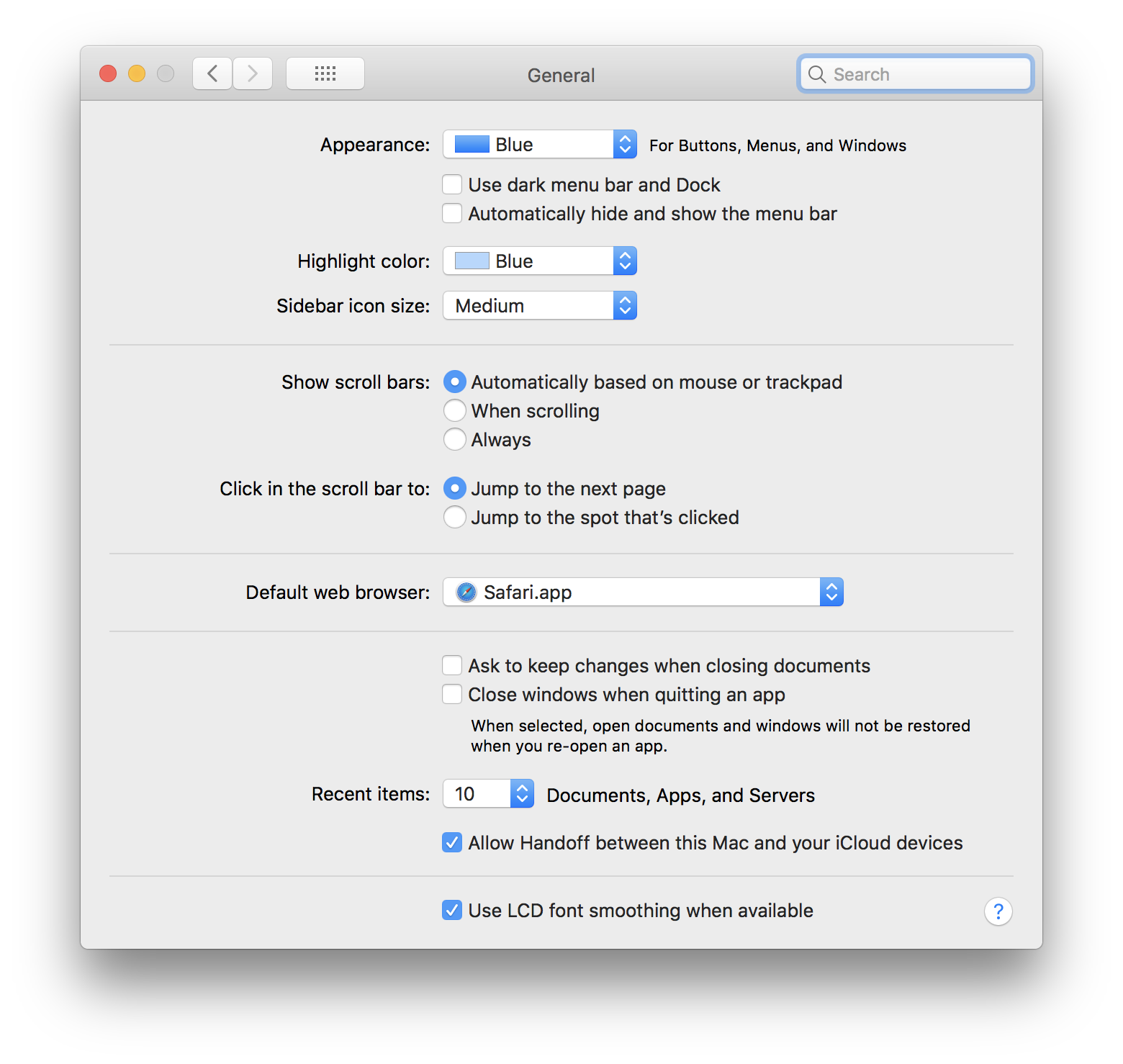
I thought Jannis was being perfectly reasonable and making a valid point. The recent items are controlled by the OS and the issue of KB is totally different. I gather you are using Blocs on an unsupported OS.


 (I said it lol)