@Whittfield or anyone tell me if it possible (before I purchase Tab Anything) to create a hero slideshow in Tab Anything that is full browser width but with a set height i.e. not full screen. I have been trying to achieve this in Swiper but I cant see anyway of controlling the height of the slides i.e. 50% instead of full height.
I have the bric, but not used it so far. @Whittfield is the developer and the best one to advise on this.
I’ve tried contacting him before but I never seem to get a reply - I guess he must be very busy.
Whittfield may provide a better answer…
I don’t think the size of the image matters. TA brings up that image, or whatever the “tab” tells it to bring up so I am not clear on the question.
What does one have to do with the other…
Rich the Weather Guy
@WeatherguyNH I simply want to know wether I can use Tab Anything as a hero slider but not have the images fill the screen (as Swiper does) for example if I have a slide image that is 1600 x 500 I would like the image to fill the browser width but maintain the aspect ratio.
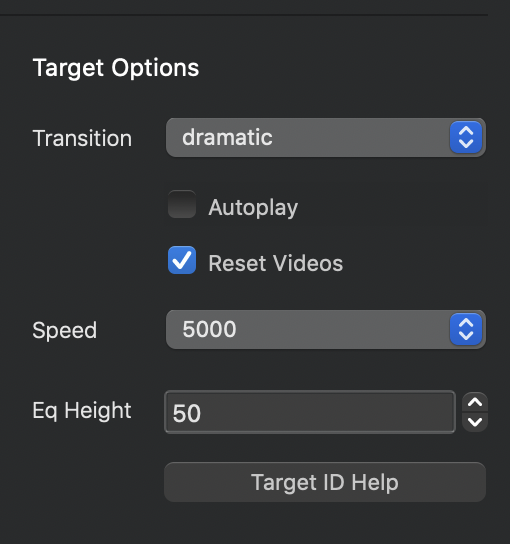
@WeatherguyNH Thanks for that. Have you ever used it as a hero slider on a site?
On my site:
The first set of pixs below the hero, I had those set on auto load with the dynamic transition, which I liked, But strangely, when I set it up that way, the first load of each pix “jumps” a bit, but after that first load, it runs as expected. I keep meaning to send Whiffield a screenshot of this action, perhaps there is a setting I should have turned on?
So, for now, you can use the buttons on the left to load each picture.
Of note: I had a carousel up there originally, but you can’t get lightbox to work with a carousel so I moved over the TA pro.
Hopefully, this helps…
Rich the Weather Guy
@WeatherguyNH I see, so does that mean it can’t be used as a hero in its own right without the button navigation?
I think you should turn it on see how your page loads.
Go from there…
Rich the Weather Guy
@WeatherguyNH I don’t actually own Tab Anything yet - hence all the questions.
With the introduction of Tab Anything, I find I am using it extensively on my site.
This is a Bric you definitely want to own.
BTW, I am not a programmer or designing (which is obvious when you see my site) but Brics like this really help people like me.
Rich the Weather Guy
1 Like
You can do it. Check this site: electrorental.com.ar.
The only limitation with tab anything are your skills
1 Like
Just curious with your tabs, is the text and buttons on the image or is it separate?
The didn’t notice being able to add text and buttons over the image?
Casey
It´s a 1 column structure with a background. You can add texts, buttons, images, animations or whatever you desire just like a regular bric. When you integrate with tab anything it works as a slider.
I do the same here: http://irenebermejo.com (treatments section) but not as a slider, as a menu
Thanks, that makes sense.
Casey
@chicuelo If the hero in the site you mention is using Tab Anything that is exactly what I want to achieve. Is that straightforward to do?
The link isn’t working.
Yes, is very simple. You need to know how it works in order to achieve what you want
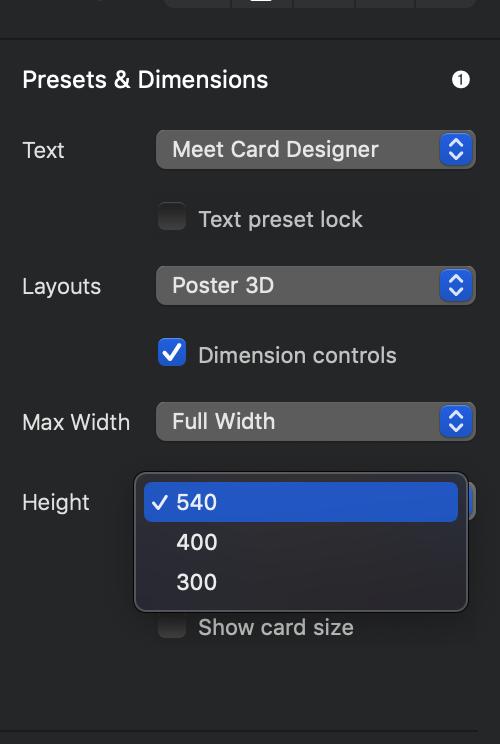
I have not used Tab Anything for a hero slider yet but by reading the comments I see that it can be done. Have you tried using Card Designer? It is somewhat limited in height but it does the job for me. I use it on my site. www.bluedzign.com
Here are the different heights you get:
1 Like