TLDR
There may well some good suggestions here but the wayward and inventive english make all this difficult to read and comprehend. This, and its length, is not geared to encouraging your target audience to linger. Recast it in smaller sections with simple and clear explanations ? And be prepared to kill your darlings.
Mine when looking at your site 
If they are melting, click elsewhere ? 
Health of your eyes is important, you know ? 
Yikes, someone has been busy.
2 Likes
Thx for feed-back and interest.
Nope for ameliorating, enough time spent. I do not even know if it is considered (it may be the team is working on a completely different version of the Block, or with a very defined pipeline, don’t know) and therefore it is possibly in vain, then what good is it to be eternized on the form ?
The titles + screenshots are speaking enough, and if an interested point, then one it deserves a little attention (?).
 Regarding feed-backs,
First of all sorry for bad english, just to say, this is BRAINSTORM, light, quick, “talking”, throw up ideas, not a document spec. If I pay attention of writting correctly, i’d already loose the ideas I was writing
Titles & screens…
Ans sorry again.
Please Like if you agree with some points… 
 (@ team)
1 Like
CLASSES - Moving them (right frame)
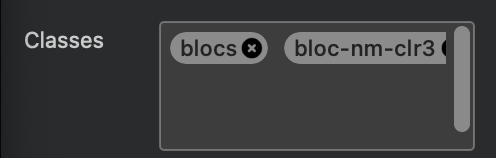
When more than one class on a bloc/bric, when double-clicking on a bloc/bric, the Class Editor opens the first class by default (img : “blocs”).
Would be useful to have the possibility to move them, as eg (img) : click’n drag “class-nm-clr3” left to “blocs”.
Then when the Class Editor is open, when selecting a bloc/bric, the first as wanted opens by default.
Ed. Supposing that users who utilize several classes are supposingly more hard user than noobs ,then supposingly have a better organisation, then more supposingly apreciate this feat.
FORUM - Edit not comptabilized
Personal POV,
Just noticed that even a simple edit modification push up in list of topics.
Maybe a simple edit modification may not do this, then not “pollute” list of post.
Indeed, who care such small edits ?
PROJECT PARAMETERS - Modal popup Z+
Not important..
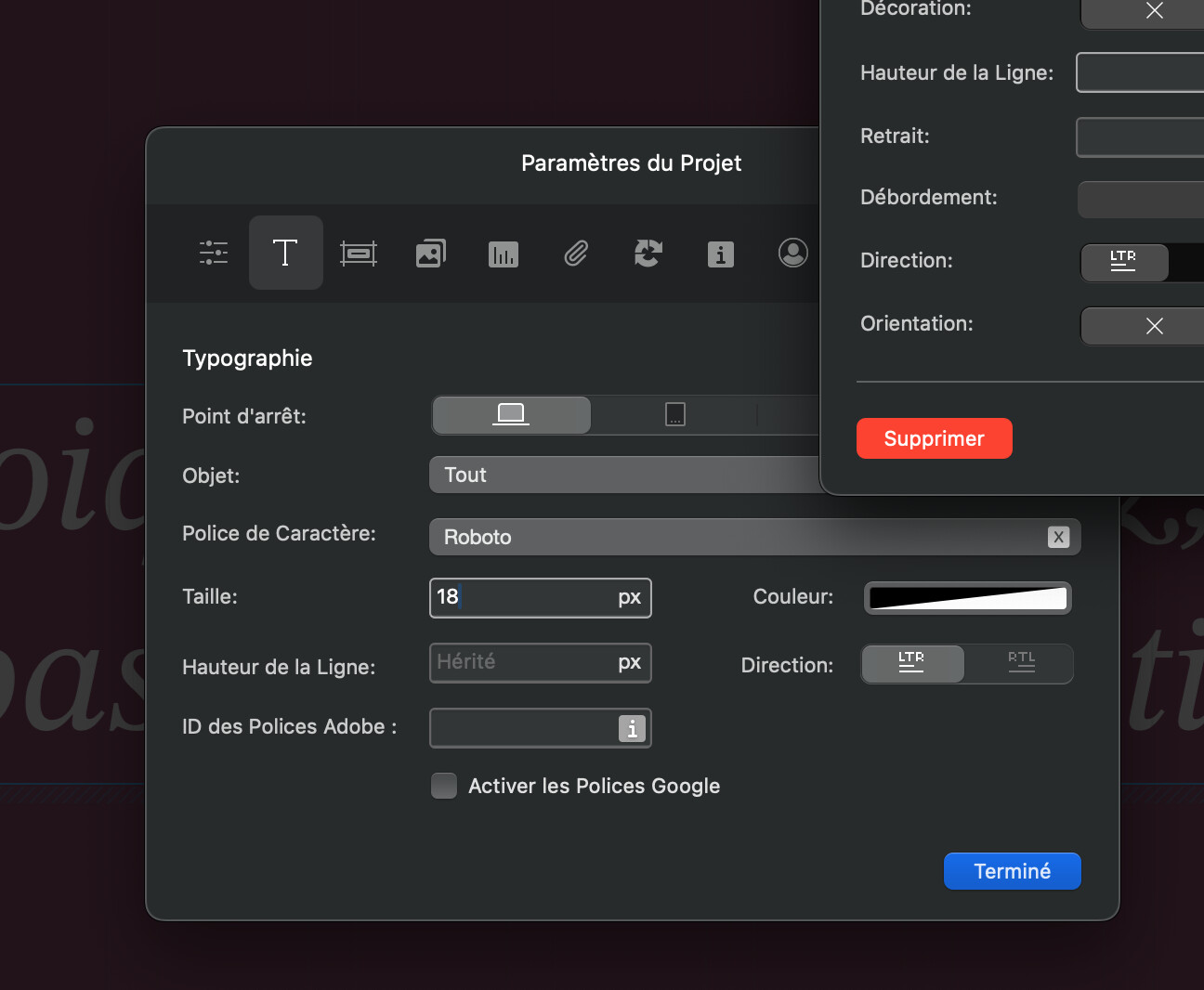
When [Cmd+,] to launch the parameters, the modal opens behind all others modals.
It’d be clicksaver (personnaly..) to get it Z-index over all, [Cmd+], and directly, as it has sens because somehow most important (in mind, concerns the project rather than a class..).
Better, already tackled  : with last tab opened by default when opening.


Love the wobbly eye and the effort there @Blocs_User

2 Likes
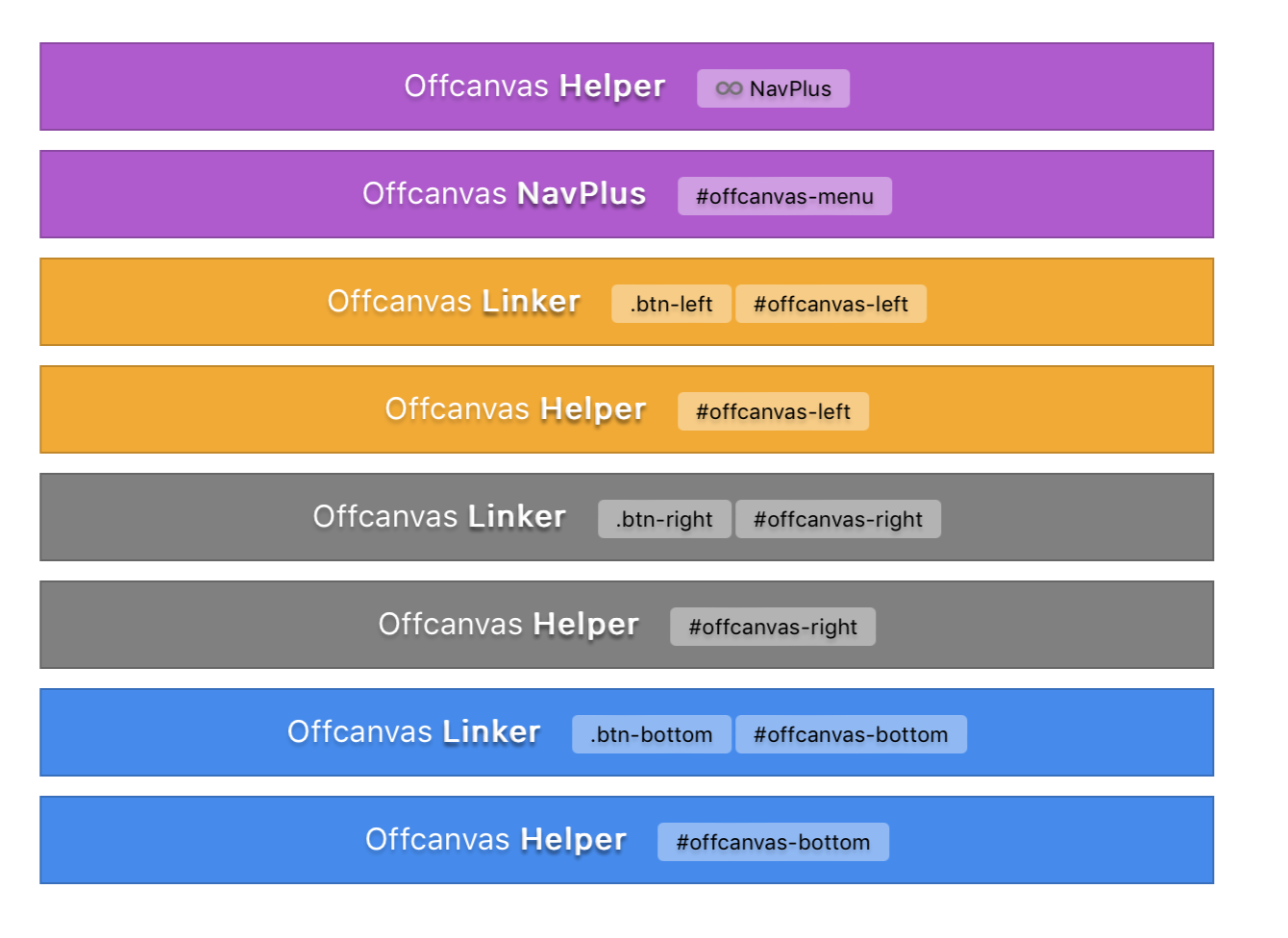
I have this option in most of my brics. Very handy when you have to stack brics that work together such as Offcanvas Helper + Linker.
4 Likes
This is cool, I’m jalous
Yeah,
Personnaly I know I’ll use…
/*
...lots of line for snippets + temporary css + backups + testing + to keep them under hand by projects,
Rather than clicking and clicking with outside app..
*/
With nowadays brandwidth who cares ?, but if it’s something quick to be coded, it’d be a cool check box feat for clean code in the finish.
Yes I know, didn’t explained well, sorry.
There is only one animation fx that looks “coherent” in it’s infinite linear moov visually : impulse.
An eg to illustrate my purpose, the 3D big shape bottom lefft, no way to get a 2d (img, txt…) 360° continuously rotation as this.
Btw i suppose it depends on bootstrap, was a pious wish 
Ed. Forgot the eg link : https://www.normandie.website
Added in “Pebble”
I am convinced that these “pebbles” would bring a comparative advantage over others, and this, capitalizing on wysiwig work already done with the BRICS, would it not already be by integrating the fundamentals CSS in WYSIWIG (there is full of Online CSS Generators, Imagine each CSS generator there CSS Generators - CSS Portal as a Pebble, How Fantastic would become Blocs for non coders in term of Potential of creativity as easy how-to for cool things even basics css).
Imagine (for non -coders) : to be able in ~5 clicks to add a pebble on H1 XXL in header (or a Hn Fx pebble), and with some adjustments (sliding cursor as for social’s bric) in right frame, to add and adjust anInfinite Ease Scaleof its size as for external colored shadow (size as blured) loop animation etc… Btw you get the idea.
EXTENSION - Modal Z++++++
Not usefull as it is to get some brics (once mouse hover pannel, Extension’s modal disapears), click saver (not having to move pannels) ; if a basic Z-index quick to be done (?)…
As it has sens : clicking [+] is to get Blocs (after this click, who cares about pannels ?).
https://www.normandiemedia.com/x/ExtZ+.mov
 Ux folders
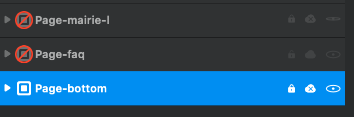
Folders (must already be multi-selection of Blocs possible*(  )) for classifying “layers” without having any repercution with .hml, just for managing, Expandable/Collapsabel by double click (+ classic right-click rename/delete/etc.).
Very handy for big projects + multi website in a single .file
With Hide|Lock|(non)Export(as for all layers as tackled upper ) also, justy not repercuting directly on code.
As eg img (several site with same file, with the advantage to have same class etc, but when exporting, lots of activate/desactivate, as long list that could be shorted by Hiding).
Then,
- gain use (quick view, organisation also..)
- gain time/clicks (lock, hide, export.. drag upper/dwn..)

*As why not for Brics ? **
** And Pebbles 

Personnal little wish : “net” (alpha 1) colors as the blue one (selected layer) 


 LAYERS - Opening all childs in one click
Great idea because suipposingly very less to code and massive click saver :
How many time did you :
- Click on a Bric
- Click his Child
- Click his Child
- Click his Child
- Click his Child
- Click his Child
- Click his Child
- Got it

- Got it
- Click his Child
- Click his Child
- Click his Child
- Click his Child
- Click his Child
- Click his Child
Or in middle of all of this..
Simply ; [CMD+Click] on a layer opens all children until the last one.
Thought : are layers no one can modify obligated to be shown ? It ads levels..
