LAYERS - Double-click
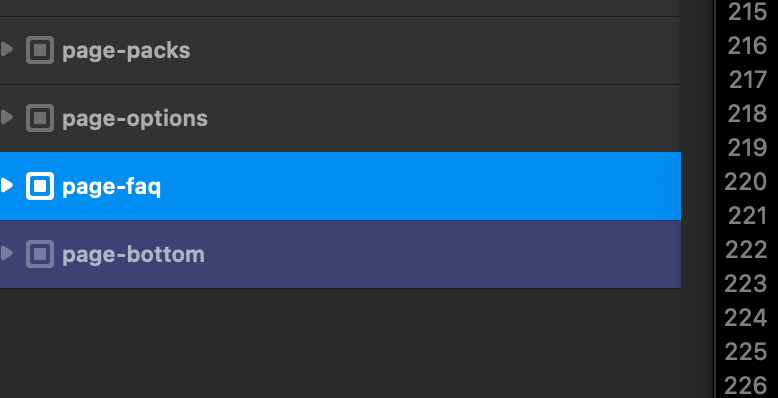
Double-click on the “layer” (blue) to open the bloc/bric, rather than having to get the little “10px” arrow
Double-click on the “layer” (blue) to open the bloc/bric, rather than having to get the little “10px” arrow
Not important btw, personnaly, tremendous time I Alt+> as it is standard in all apps (text edit…) to “jump”, and nope, the shortcut is assignated to displacement.
Thought : we may are more many to use this basic shortcut than dispalcement (personnaly never), if yes this may be prior ?
Wish : to remedy to this by default or for us (if already possible, ghow please ?).
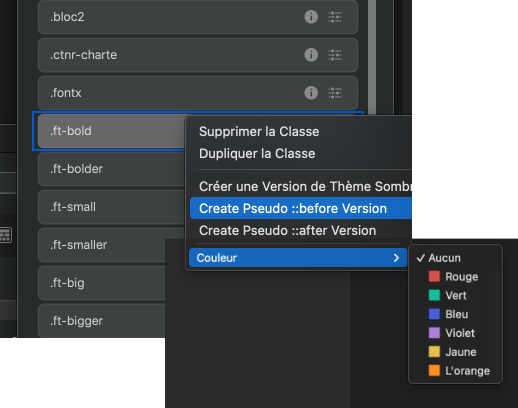
Colors : usefull for quick view classification ~“semantically” (if possible with Maj + click selection that is already in place)
 Alphabetical sorting
An indicator of some sort which shows the images/graphics being used in a project.
I sometimes work with a lot of images.
Good idea 
I’m using light theme for first time, after a “flash” transition  it’s now def my fav, so lighter/minimal/even somehow more modern (maybe because of less borders contrast), lov it
  , btw..
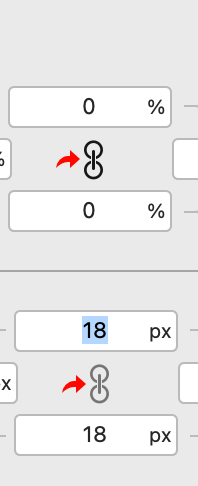
Just a tinny wish please, because many times I can’t make the difference and have stupidly to click and click to compare to know wich one is activated or not (many unnecessary clicks in future if it stays at it is) , adding more contrast between both icones (one white ?).
On this screen (increased “ratio”) we see the diference, but impossible on my display, don’t know why..
 Colors > Colors palette
Double-click on a color opens the Color Manager (with the respective color selected ?), usefull and click saver for changing the #color
Would be usefull in any case, and very usefeull for big project with plenty of colors, as any project with very light colors difference.
Double-click on the pink selection, it opens the color manager with the pink selected, direct changing it.
Also usefull because it wouldn’t add color to selected elements (and having to delete them in right frame, it may talk to some of you..).
( Already tackled : moving colors)
I suppose it isn’t possible (?) then as feat suggestion : modal ato-launched.
In my case I need an input message :
..than the Alert message.
Then it’d be cool to have a modal auto-trigged when page loaded without the need of a button and having to click.
< troll >
It’d also add in creativity ways in design (personnaly would luv to experiment ~“2.5D”, 3d spline in modal that has no background with behind body page with video or css animation background or even with other 3d spline etc.
In some years you’ll have 3d mascotts auto-trigged with IA talking to you : "Hi I’m Pingouin, may I help you (IA dialog if yes..) ? Behind me all informations about my family.. (as eg tyo illustrate, close modal)
< /troll >
Suggestion
Even better :
 And CMD + MAJ + Click (or anyhting else) to close the “layer” with all its children.
Personnaly : even all childrens closed. Or why not, if not (some users can indeed prefer keeping childrens layers open/close as it is ready to be re-“opened”), a “kill” to open/close all parents/children (as adding Ctrl…?).
Hope it is undersstandable 

MENU - Mouse Hover & Mouse clickAs “beginner” for menu+submenu, it wasn’t spontaneous to find how-to get menu mouse hover. (then time to search, etc.)
Indeed mouse click and mouse hover are dispatched.
(And between parents/childrens of Navbar + Smartnav, and to have to go to the final child  )
)
Suggestion : both at same place.
Gain easy access beginners, thing to be memorised, and with this way fun the possibility to mix hover (eg. basics links) and click (eg. a mega menu) in same navbar, then more flexibility/“power”.
(also the arrow away, we surely are more many not wanting it, or only when on_click, or on demand with a check-box.. ?)
.dropdown-toggle::after {
	display:				none;
	}
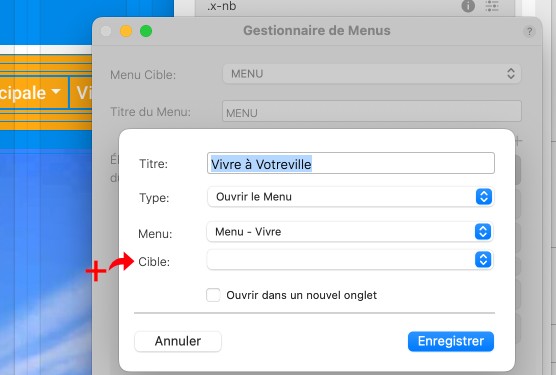
It seems to be impossible to get a link on title when activating hover.
The content of propositions changes when changing the type, it’d be great to have a link possible once Type on “open”.
Logic, spontaneous, easy one click for beginners.. for a menu very standard and usefull.
Left frame - Page + Layers combinedSupposing it may be few to code..
Gain for duplicating/displacing layers from page to another, as for styles (right-click copy style > paste style), etc.
Gain view of structuration if needed to compare one page to another one
Btw usefull and on-demandé.
(with the pages below the other in right VP ; clicking on a layer from another page in left frame that brings immediatly with scrolling in roght Vp to the bric..  super fast access)
Forgot an arrow right of the page blue line for a toggle
Shortcut - Show/Hide all pannelsIt’d be cool and usefull to be able to hide with one shortcut (definable with osx pref keyboard) all pannels ; and show (+Maj ?).
When re-show, with all pannels as there where before hiding.
Ed. In fact it is the thing missing 
 IMG - MultiSelection
MAJ+Click, or mouse selection in thumbs mode, don’t know.. but yet having to delete each image one by one 

Ed. OK was fast (don’t know why I thought having to confirm each time..), btw this situation is frequent, it’d be a good thing (as for layer left frame , as eg for hiding multiple layers, etc.). “MAJ” is… Magic
De-select layers or/and ESCA situation I’m probably not the only one to have : when you want to do something with images, because a layer is systematically selected, the image you are selecting is sometimes added as background image of the selected bloc or bric.
Then you have to go to the dedicated background and [ x ] it.
Even sometimes you do not remark it, and have secunds or minutes later to click and click to find and delete the added backgound image.
Bit complicated also when many things to do with images.
From what I’ve seen, impossible to deselect a Bloc/bric, always one in blue as on screenshot. (If I omit I’m taker thx)
The idea is simply to have the possibility to deselect by clicking outside or ESC, then no more this redundant problem, just ESC before going in Image managment pannel.
Would be usefull (and click saver..).
Or adding a Unselect (and shortcut assignable with osx) ?
Ed. Or clicking on blue layer to deselect it (wtf upper and didn’t thought of this 
 ). Also for colors in fact.
I suppose it isn’t possible it’d be already done, btw “cutting” this “link” would be usefull (sometimes I change bg of blocs/brics when not wanted, have to go back, find the image that was before, replace etc..)
 Menu First level menu
A pious wish because it certly would already be done : First level menu linkable.
URL + AnchorAdding anchors when the type is Navigate to page.
Obligated to do it with “outside” url/#anchor, not usable at all when changes and updates, especially when running a project in browser in localhost (you click on a link in menu or sitemap and you are then on the online page, impossible to navigate locally with Navigate to page and Anchor use).
Menu dynamicAnd the initial and main purpose of this as it’d be a solution of both upper points : given that the function of structure detection that generates sitemap xml exists (no database..), wouldn’t it be posssible to have a “dynamic” menu that retrieves the H1 of each page ?
Would be awesome, you change the H1 in middle of the page and title+link is immediatly updated in menu (link same as H1 title).
Or as a paid bric ? Personnaly would immediatly buy it.
It’s another vote from me for the main menu of a dropdown to be able to link somewhere (apart from the dropdown).
Although I think I read on a previous post somewhere it’s not that easy to do as bootstrap only allows 1 link per item (and in this case it’s the dropdown) - or I may be dreaming.
Yes, what I have also been told with bootstrap constraints…
Btw impossible to invite to header of page logically with top list menu, or having to “cheat” with a duplicate top page link in submenu, not really great…
One link (href) is standard. Now multiple interactions are possible. This is not a bootstrap limitation. Eg NavPlus has a working option that allows both. Just not released  so it’s very possible.
You do have to think through how accessibility works here though. This was the solution I adopted from the Apple website. When navigating by assistive devices, chevrons appear that allow the user to select the top menu link or activate the drop-down menu. It works pretty cool.
https://x.com/blocsbuilder/status/1732160830727434307?s=46&t=IeW3tZVuWr_wOCwq-Fiupw
MAJ multi-selectionAs always without knowing how things go in programation, from user pov, then with maybe a vain reflexion..
Thought : supposing multi-selection for some action as changing margin or padding, or assignating a style, etc, is impossible with the app “core” as it is,
Wouldn’t it be possible to add MAJ+ multi-selections for some basic “universal” actions as right-click menu (deleting layers, hiding, lock export, changing colors…) ?
Would be very usefull and click saver.